
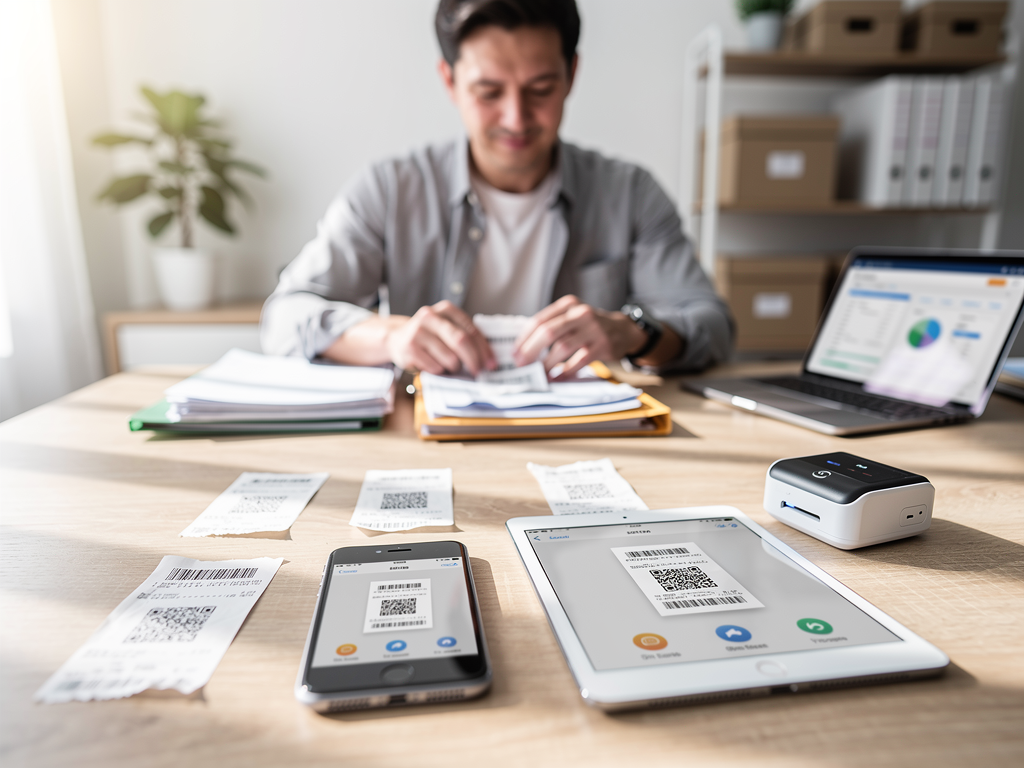

In 2026, manual receipt management is a documented operational liability. For small business owners, physical data entry consumes billable hours and increases the risk of audit failure due to degraded thermal paper. As tax authorities transition toward real-time digital reporting, instant expense categorization has moved from a convenience to a compliance requirement.
This analysis evaluates the leading receipt scanning solutions based on OCR (Optical Character Recognition) accuracy, integration depth, and their capacity for high-volume automated processing.
The Quick Take:
- Best for Growing Teams: Expensify
- Best for Accountant Collaboration: Dext
- Best for Physical Backlogs: Shoeboxed
- Best All-in-One Integration: QuickBooks Online
- Best for Budget-Conscious Teams: Zoho Expense
- Best for Digital Bill Fetching: Hubdoc
- Best for Data Organization: Neat
---
Quick Comparison Snapshot
Selection depends primarily on your existing accounting stack and transaction volume.
- Expensify: Optimized for rapid employee reimbursement and corporate card reconciliation.
- Dext: Prioritizes data integrity for businesses working with external bookkeepers.
- Shoeboxed: Addresses high-volume physical paper backlogs via mail-in services.
- QuickBooks Online Mobile: Minimizes friction for existing QBO users by feeding directly to the general ledger.
- Zoho Expense: Provides high-tier features (mileage, policy enforcement) at a lower price point.
- Hubdoc: Automates the collection of digital statements directly from vendor portals.
- Neat: Focuses on searchable document curation and financial insights.
---
Operational Impact: The Bottom Line
A receipt scanner’s value is measured by data liquidity. Digitizing expenses transforms stagnant paper into actionable financial data, impacting four key areas:
1. Audit Readiness: Digital scans attached to ledger transactions provide a permanent, searchable audit trail.
2. Cash Flow Visibility: Real-time scanning ensures profit and loss statements reflect actual spending immediately, rather than at month-end.
3. Error Reduction: Modern OCR typically eliminates the typos associated with manual entry, accurately extracting tax amounts and vendor details.
4. Reimbursement Cycles: Automated workflows reduce the time between employee spending and payment from weeks to days.
---
Selection Criteria for 2026
Prioritize these functional pillars during your evaluation:
- OCR Accuracy: The software should extract data in under 10 seconds with at least 98% accuracy.
- Direct Integrations: Validate that the tool syncs natively with your ledger (QuickBooks, Xero, Sage, etc.).
- Line-Item Extraction: The ability to split a single receipt into multiple categories is essential for accurate COGS tracking.
- Mobile Stability: The app must support offline capture and batch processing for high-volume environments.
- Duplicate Detection: Operationally, the software must flag redundant scans to prevent overstated expenses.
---
1. Expensify
Expensify is designed for teams prioritizing speed and travel management. In 2026, its "SmartScan" technology functions as a fully automated expense engine.
- Best for: SMBs with employees who travel or hold discretionary spending power.
- Implementation: Features include automated ACH reimbursements and corporate card reconciliation. Managers can approve expenses via mobile workflows.
- Tradeoffs: The interface may be overly complex for solo freelancers. Pricing is often tied to corporate card usage, which can make costs variable.
- Pricing: Typically $5–$9 per user/month with an Expensify Card.
2. Dext (formerly Receipt Bank)
Dext focuses on bookkeeping precision. It is built to ensure data matches the rigorous requirements of professional accounting standards.
- Best for: Businesses working closely with an external accountant who require high data integrity.
- Operationally: It handles multiple currencies and complex tax codes with high accuracy and includes a "Precision" suite to flag bookkeeping inconsistencies.
- Tradeoffs: It lacks the employee reimbursement features found in Expensify; it is a data-capture tool rather than a payment platform.
- Pricing: Typically starts between $20–$30 per month.
3. Shoeboxed
Shoeboxed is the only provider offering a physical "Magic Envelope" service, allowing users to outsource the scanning process entirely.
- Best for: Owners with a significant backlog of physical receipts or those who prefer a "done-for-you" digital transition.
- Key Utility: Users mail physical documents to a processing center where they are scanned, verified, and categorized for IRS acceptance.
- Tradeoffs: Mail-in turnaround is naturally slower than digital capture, and the mobile app interface is less modern than competitors.
- Pricing: Digital plans start at $15/month; mail-in plans typically range from $40–$50/month.
4. Zoho Expense
Zoho Expense provides enterprise-level features, such as GPS mileage tracking and policy enforcement, at a mid-market price point.
- Best for: Budget-conscious SMBs requiring advanced reporting and multi-stage approvals.
- In Practice: It uses AI to identify suspicious spending patterns and duplicate claims. It integrates natively with the broader Zoho ecosystem.
- Tradeoffs: Users outside the Zoho ecosystem may find the interface less intuitive than specialized competitors.
- Pricing: Includes a generous free tier for up to 3 users; paid plans are typically under $5 per user.
5. QuickBooks Online Mobile
For QBO subscribers, the built-in mobile scanner is the most efficient way to reduce tech stack bloat.
- Best for: Owner-operators already using QuickBooks who want zero-friction ledger entry.
- Implementation: The app attempts to match scans to existing bank transactions. If no match exists, it creates a new expense entry automatically.
- Tradeoffs: OCR speed and accuracy are often lower than dedicated tools like Dext. It lacks advanced expense reporting for larger teams.
- Pricing: Included with a standard QBO subscription.
6. Hubdoc
Hubdoc specializes in "fetching" digital documents. It logs into utility and service portals to retrieve statements automatically.
- Best for: Businesses with high volumes of recurring monthly bills (SaaS, utilities, rent).
- Operationally: It automatically organizes documents into a searchable folder structure by vendor name, reducing manual filing time.
- Tradeoffs: The mobile app is basic and lacks mileage or advanced expense tracking features.
- Pricing: Often included with Xero plans; standalone pricing is approximately $12–$15/month.
7. Neat
Neat has evolved from a hardware company into a software platform focused on financial curation and searchability.
- Best for: Micro-businesses requiring a highly organized digital filing system.
- Key Utility: Users can search for specific line items *within* a receipt, not just the vendor name. It provides automated spending insight reports.
- Tradeoffs: Since transitioning to software-only, some users find the price point high relative to the feature set.
- Pricing: Generally $20–$30 per month.
---
Feature & Pricing Comparison Recap
| App | Primary Strength | Best For | Starting Price (Est.) |
|---|---|---|---|
| Expensify | Speed/Automation | Teams with travel | $5 - $9 /user |
| Dext | Data Accuracy | Accountant collab | $20 - $30 /mo |
| Shoeboxed | Physical Backlogs | Paper-heavy offices | $15 - $50 /mo |
| Zoho Expense | Feature Value | Growing SMBs | Free - $5 /user |
| QuickBooks | Ecosystem Sync | Existing QBO users | Included with QBO |
| Hubdoc | Digital Fetching | Recurring bills | Included with Xero |
| Neat | Searchability | Micro-businesses | $20 - $30 /mo |
---
Recommendations by Business Type
- If you are a solo freelancer: Start with QuickBooks Online or Zoho Expense to keep costs low and integrations simple.
- If you manage a field team: Prioritize Expensify for its rapid mobile approvals and corporate card reconciliation.
- If you have years of paper records: Validate the costs of Shoeboxed to clear your backlog before transitioning to a digital-first workflow.
- If you prioritize audit-proof books: Implement Dext to ensure every transaction is backed by high-fidelity data.



