


Managing business expenses while traveling or working remotely is one of those tasks that sounds simple but quickly becomes a headache. Lost receipts, forgotten mileage, and messy spreadsheets can cost you real money at tax time. The right expense tracking app turns that chaos into a clean, organized system you can manage from your phone in minutes.
This article covers the best apps available today, what makes each one stand out, and how to choose the right fit for your business.
Key Takeaways
- The best expense apps save time by automating receipt capture, categorization, and reporting
- Pricing ranges from free to $15+ per user per month, so matching features to your needs matters
- Solo freelancers, small teams, and large companies each have different ideal options
- Integration with accounting software like QuickBooks or Xero is a major time-saver
- Mileage tracking is a critical feature for anyone who drives for work
Why Expense Tracking Apps Matter for Business Owners
Manual expense tracking is slow and error-prone. Studies consistently show that employees underreport expenses or lose receipts, which means businesses either overpay taxes or miss legitimate deductions.
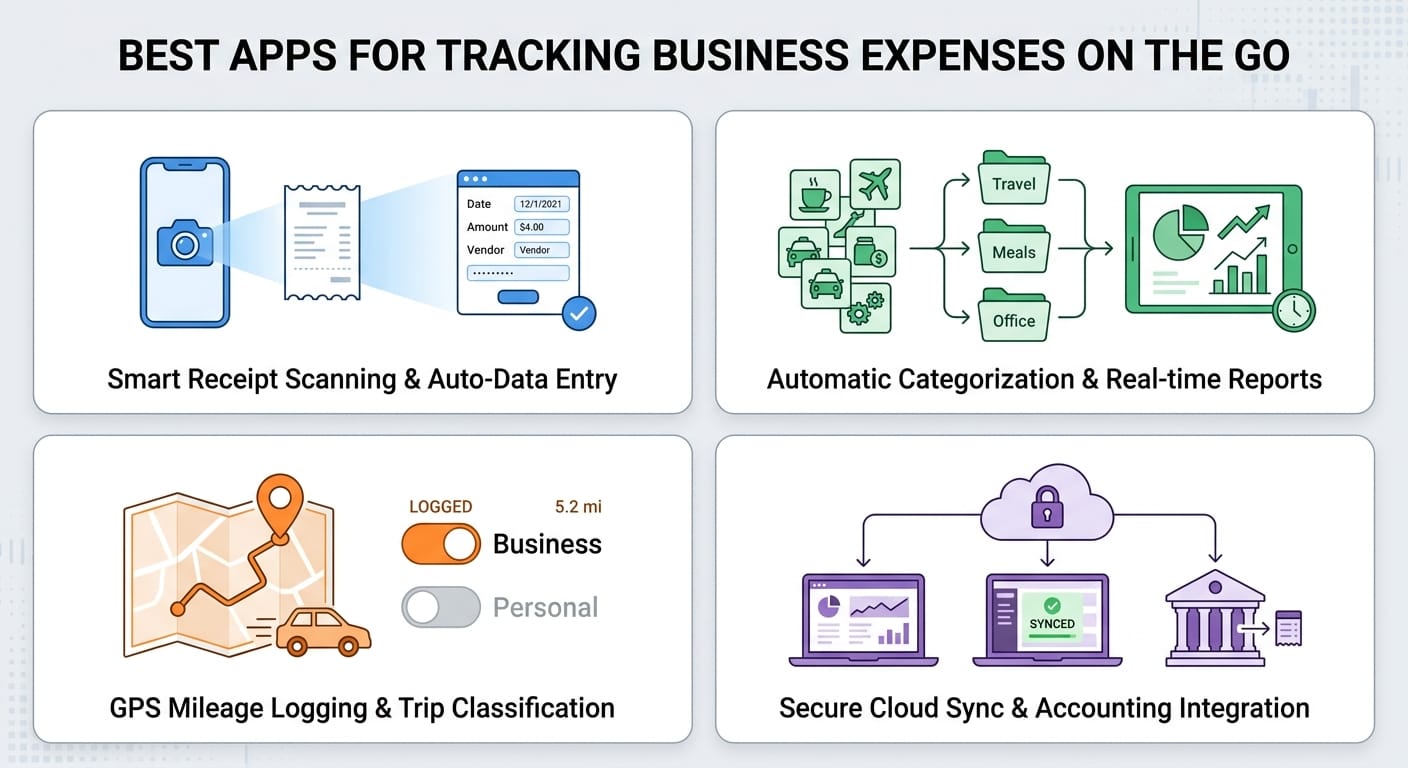
A good mobile app solves this by letting you:
- Snap a photo of a receipt the moment you get it
- Log mileage automatically using GPS
- Categorize expenses on the spot
- Generate reports for accountants or reimbursement requests
The result is less time on admin and more accurate financial records year-round.
The Best Expense Tracking Apps
1. Expensify
Expensify is one of the most popular choices for a reason. It combines powerful automation with a clean, easy-to-use interface.
Best for: Small to mid-sized businesses and frequent travelers
Standout features:
- SmartScan technology reads and categorizes receipts automatically
- Real-time expense reports that sync with accounting software
- Corporate card integration for automatic transaction import
- Approval workflows for team reimbursements
Pricing: Free for individuals with limited scans; paid plans start around $5 per user per month
Expensify works especially well for teams because managers can review and approve expenses directly in the app. The learning curve is minimal, and the mobile experience is polished.
2. QuickBooks Self-Employed
If you already use QuickBooks for accounting, this companion app is a natural fit. It is built specifically for freelancers and self-employed professionals.
Best for: Freelancers, consultants, and sole proprietors
Standout features:
- Automatic mileage tracking using your phone's GPS
- Separates personal and business expenses with a simple swipe
- Estimates quarterly taxes based on your income and deductions
- Syncs directly with TurboTax for easy filing
Pricing: Starts around $15 per month
The tax estimation feature alone makes this worth it for many self-employed users. If you dread quarterly tax payments, having a running estimate takes away a lot of the stress.
3. Zoho Expense
Zoho Expense is a strong contender for businesses that want robust features without a steep price tag. It integrates seamlessly with the broader Zoho ecosystem but also works well as a standalone tool.
Best for: Small to mid-sized teams, especially those already using Zoho products
Standout features:
- Multi-currency support for international travel
- Per diem allowance tracking
- Detailed analytics and customizable reports
- Integration with QuickBooks, Xero, and Zoho Books
Pricing: Free plan available; paid plans start around $5 per user per month
Zoho Expense handles international expenses particularly well. If your team travels globally, the multi-currency and per diem features are genuinely useful rather than just checkbox items.
4. Ramp
Ramp is more than an expense tracker. It is a full spend management platform that includes corporate cards, expense tracking, and bill payment in one place.
Best for: Growing businesses that want to consolidate spend management
Standout features:
- Free corporate cards with built-in expense controls
- Automatic receipt matching to card transactions
- Real-time spending dashboards
- AI-powered insights to identify savings opportunities
Pricing: Free for core features; premium plans available
Ramp is particularly compelling because the core product is free. Businesses that issue corporate cards to employees will find that Ramp dramatically reduces the manual work of reconciling expenses.
5. Everlance
Everlance focuses on mileage tracking but has expanded into full expense management. It is a top pick for anyone who drives frequently for work.
Best for: Sales reps, delivery drivers, real estate agents, and field workers
Standout features:
- Automatic mileage detection using GPS
- IRS-compliant mileage logs
- Receipt capture and expense categorization
- Integration with payroll and accounting tools
Pricing: Free plan available; paid plans start around $10 per month
The automatic mileage detection is genuinely hands-free. You do not need to remember to start or stop tracking. Everlance detects when you are driving and logs it automatically.
Side-by-Side Comparison
| App | Best For | Mileage Tracking | Free Plan | Starting Price |
|---|---|---|---|---|
| Expensify | Teams and travelers | Basic | Yes (limited) | ~$5/user/month |
| QuickBooks Self-Employed | Freelancers | Automatic GPS | No | ~$15/month |
| Zoho Expense | Small to mid teams | Yes | Yes | ~$5/user/month |
| Ramp | Growing businesses | No | Yes | Free |
| Everlance | Field workers and drivers | Automatic GPS | Yes | ~$10/month |
What to Look for When Choosing an App
Not every app will be the right fit. Here are the key factors to weigh before committing:
Receipt capture quality
Look for apps that use OCR (optical character recognition) to read receipts automatically. Manual data entry defeats the purpose of using an app.
Mileage tracking
If you drive for work at all, automatic GPS-based mileage tracking is worth prioritizing. Manual logging is easy to forget.
Accounting software integration
Check whether the app connects to your existing accounting tools. Seamless syncing with QuickBooks, Xero, or FreshBooks saves hours of duplicate data entry.
Team features
Solo users need different things than business owners managing a team. Look for approval workflows, reimbursement management, and spending controls if you have employees.
Reporting capabilities
Good reports make tax prep and reimbursement requests much easier. Look for customizable categories and export options.
Pricing structure
Some apps charge per user, which adds up quickly for larger teams. Others offer flat-rate pricing or free tiers that work well for smaller operations.
Tips for Getting the Most Out of Your Expense App
Even the best app only works if you use it consistently. A few habits make a big difference:
- Capture receipts immediately. Do not wait until the end of the day. Snap the photo while you are still at the register or restaurant.
- Set up categories before you start. Customize your expense categories to match your chart of accounts or tax categories.
- Review weekly, not monthly. A quick weekly review catches errors and keeps your records current.
- Connect your bank or card. Automatic transaction import reduces manual entry and helps you catch missed expenses.
- Use the reporting features before tax season. Do not wait until April to run your first expense report. Monthly or quarterly reviews make tax prep much less painful.
Conclusion
The right expense tracking app can save you hours every month and hundreds or thousands of dollars at tax time. The best choice depends on your situation:
- Freelancers and self-employed professionals should look at QuickBooks Self-Employed or Everlance
- Small teams will find Expensify or Zoho Expense to be strong, affordable options
- Growing businesses that want a full spend management platform should explore Ramp
Start by identifying your biggest pain point, whether that is receipt management, mileage tracking, or team reimbursements, and choose the app that solves that problem first. Most of these tools offer free trials or free plans, so you can test before committing.
The best time to get your expense tracking under control is now, before another pile of crumpled receipts builds up in your wallet.



