

Box D on your W-2 is an optional control number used for your employer's records, and you do not need it to file your taxes. If Box D is blank, that's normal and not a problem.
A lot of people notice that empty little box right when they're about to file and immediately assume something is wrong. You're checking names, wages, withholding, maybe comparing last year's form, and then Box D stops you cold. Was your employer supposed to fill it in? Will your return get rejected? Did payroll miss something important?
In most cases, the answer is simple: you can keep going. Box D looks official because it sits on an official tax form, but for employees, it usually doesn't change anything you need to enter, fix, or worry about. Where people really get tripped up is when they confuse Box D with Code D in Box 12. Those are not the same thing, and mixing them up can create filing mistakes.
Your W2 Has a Blank Box D What Does It Mean
You open your W-2, scan down the form, and there it is: Box D is empty. That feels suspicious because blank spaces on tax forms usually make people nervous.
In this case, a blank Box D usually means nothing is wrong. It isn't a missing wage amount, a skipped withholding figure, or a broken form. It's a field many employers choose not to use.
Here's the plain-English version. Box D is for an employer's internal tracking number, not for your tax calculation. If your payroll team doesn't need that number, they may leave it blank. That doesn't make your W-2 incomplete for filing purposes.
Practical rule: If Box D is blank, don't assume your W-2 is invalid. Check the wage and tax boxes first, because those are the fields that affect your return.
That's why many tax filing systems let you move forward without entering anything there. If a screen asks for a control number, that doesn't automatically mean you must have one. Often, the software is just offering a place to type it in if your W-2 includes it.
A good way to think about it is this: some boxes on a form carry tax information, and some boxes help with administration. Box D falls into the second category. For most employees, that means you can leave it alone and keep filing.
What Exactly Is the Control Number in Box D
A control number in Box D is the employer's own tracking ID for that specific W-2. It helps payroll match the form to its records the same way a claim ticket helps staff pull the right item from storage.
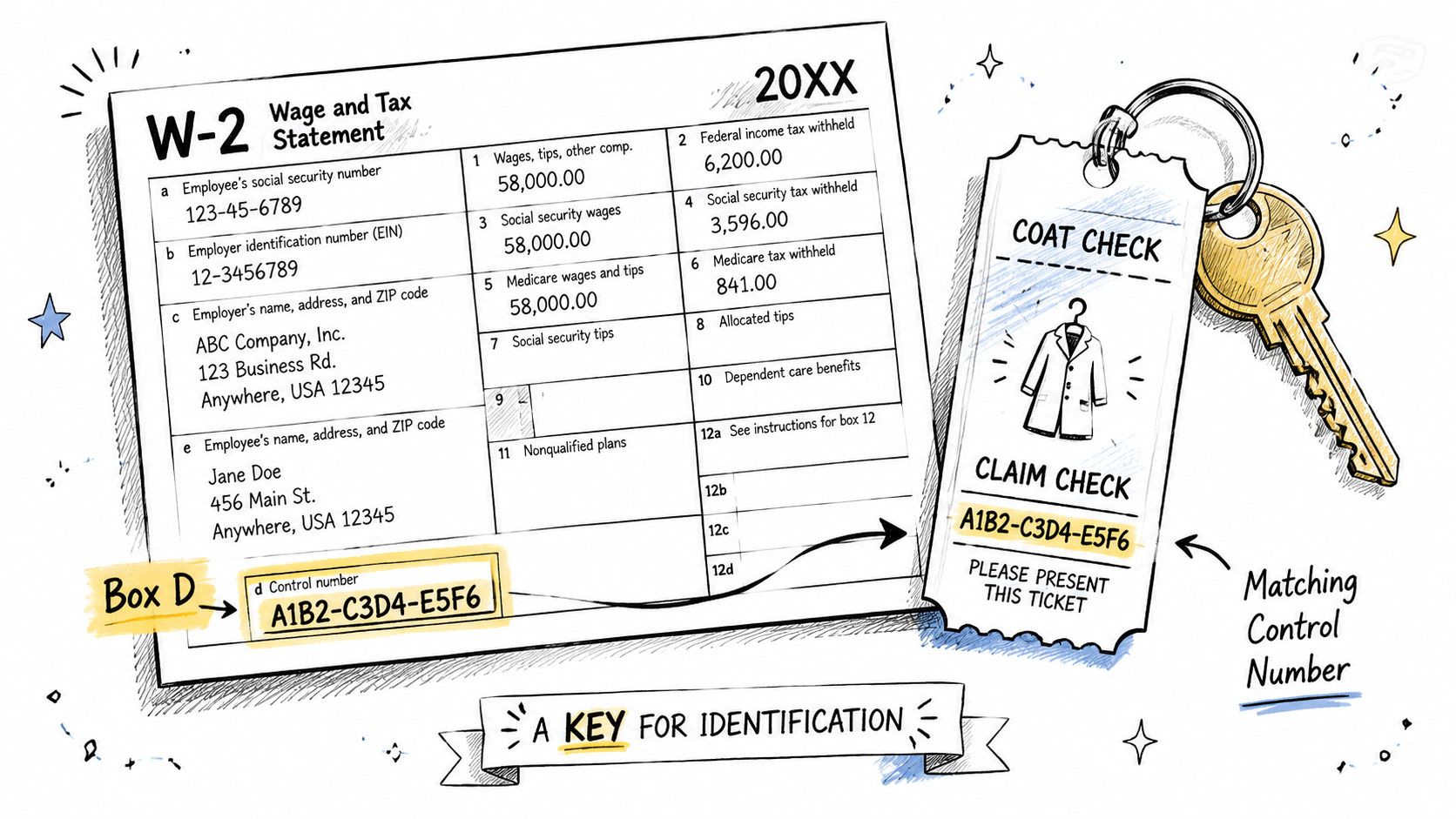
That is why the label can sound more serious than it really is. For you, it usually does not carry tax meaning. For the employer, it is a filing and recordkeeping shortcut.
A small point that saves people trouble later. Box D is a location on the form, while Code D in Box 12 means something completely different. Box D is an internal identifier. Box 12 Code D relates to retirement plan reporting. The shared letter causes a lot of confusion, and it leads some filers to type the wrong information into tax software.
Why the number often looks random
If Box D contains a string of letters or numbers, it may look arbitrary because payroll software often creates it automatically. You are not expected to decode it or learn anything from the pattern.
That can feel odd at first. Many W-2 boxes contain amounts you need to report or verify, so it is easy to assume every field works that way. Box D usually does not. It is closer to a label on the folder than a figure in the calculation.
If tax form wording gets confusing, this plain-language bookkeeping dictionary can help explain terms like control number, withholding, and payroll record without the legal jargon.
Why Some Employers Use Box D and Others Do Not
Not every business handles payroll the same way, so not every business treats Box D the same way either.
A larger employer often has more moving parts. There may be many employees, multiple payroll runs, corrected forms, duplicate requests, and record reviews. In that environment, an internal control number can make it easier to locate one exact W-2 quickly.
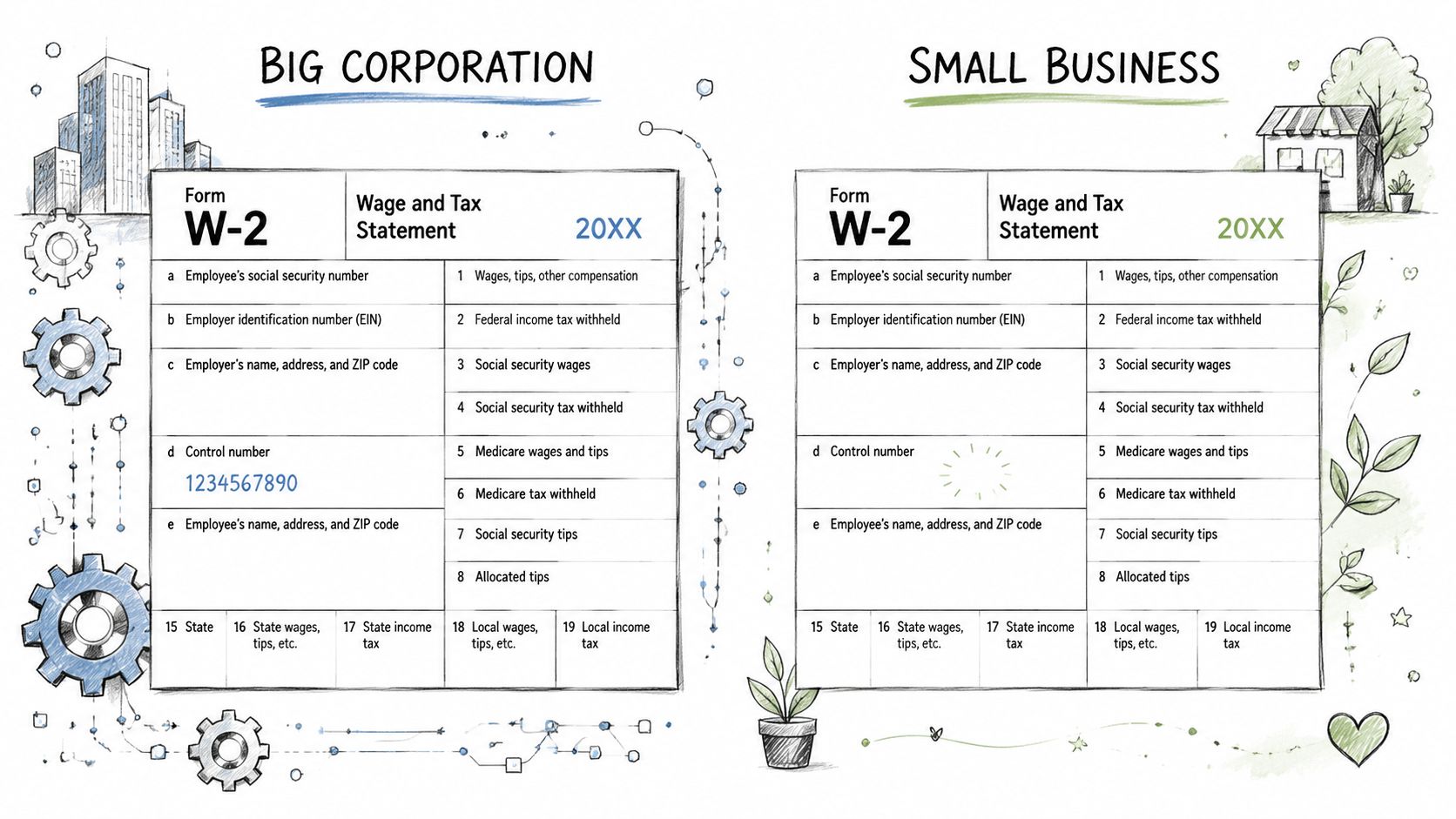
Why bigger payrolls tend to use it
For a company handling a large stack of employee forms, a control number acts like a filing shortcut. If someone requests a copy or needs a correction, payroll can search by that identifier instead of sorting through records manually.
That internal tracking can help with tasks like:
- Finding a specific W-2 quickly when an employee asks payroll for another copy
- Separating original and corrected forms during a review
- Keeping payroll records organized when many employees have similar names
- Reducing mix-ups when forms are created and stored in bulk
Why small employers may skip it
A small business may not need that extra layer. If a company has a modest payroll and a straightforward record system, the owner or bookkeeper can often identify each W-2 by employee name and year without using a separate control number.
That's why one employee might get a W-2 with Box D filled in from one job and a blank Box D from another. Neither version is automatically better. They just reflect different payroll workflows.
Some payroll systems add these identifiers automatically, while others don't. If you're evaluating payroll workflows for your own business, a small business payroll tools directory can help you see how bookkeeping and payroll systems are organized at a practical level.
For employers, Box D is an organization tool. For employees, it usually isn't an action item.
How Box D Affects Your Tax Filing
You sit down to enter your W-2, and the software asks for a control number. Your eyes go straight to Box D. Then you notice it is blank, or filled with a string of numbers that does not look like anything related to taxes. That moment trips up a lot of filers, but the good news is simple. Box D usually does not change the math on your return.
For filing purposes, Box D works more like a document label than a money box. It does not tell the IRS how much you earned, how much tax was withheld, or what refund you should expect. If the wage and withholding boxes are correct, Box D is rarely the part that causes a real tax problem.
What to do when filing
Start with the boxes that drive your return. Those are the wage, withholding, Social Security, Medicare, and state tax boxes. If those numbers are entered correctly, you have already handled the part that matters most.
Then deal with Box D based on what is on the form in front of you:
- Enter it only if your tax software asks for it. If your W-2 shows a control number in Box D, type it exactly as printed.
- Leave it blank if your W-2 leaves it blank. Do not make up a number to satisfy the field.
- Follow the software prompt if it insists on an entry. Some programs explain whether the field is optional or suggest what to do next.
- Do not borrow a "D" from somewhere else on the form. This is the costly mistake. Box D is not the same as Code D in Box 12.
That last point deserves extra attention because it is where people get into trouble. A blank Box D can make filers go hunting for another "D" on the W-2, and Box 12 often looks like the answer. It is not. Box 12 codes can report tax-related items such as retirement contributions. Box D is just an employer control number.
What Box D does not change
Box D does not change your taxable wages.
It does not change your withholding.
It does not increase or reduce your refund.
A simple way to picture it is this: your wage boxes are the ingredients in the recipe, and Box D is the sticky note on the folder. The sticky note may help payroll track the form, but it does not change what goes into the calculation.
If you are a small business owner answering employee questions, this is a helpful distinction to repeat. Some boxes affect tax calculations. Some boxes help with recordkeeping. Keeping those roles separate is part of good tax compliance guidance for small businesses.
If Box D is blank, focus on entering the boxes with dollar amounts correctly and leave Box D alone unless your software specifically asks for it.
The Critical Difference Between Box D and Box 12
You are entering your W-2, the software asks for Code D, and your eyes land on Box D near the top of the form. That is the trap.
Box D and Box 12, Code D share the same letter, but they do two different jobs. Box D is an employer tracking number. Box 12, Code D usually reports elective deferrals to a 401(k) plan. One helps payroll keep records straight. The other can affect how retirement information is reported on your tax return.
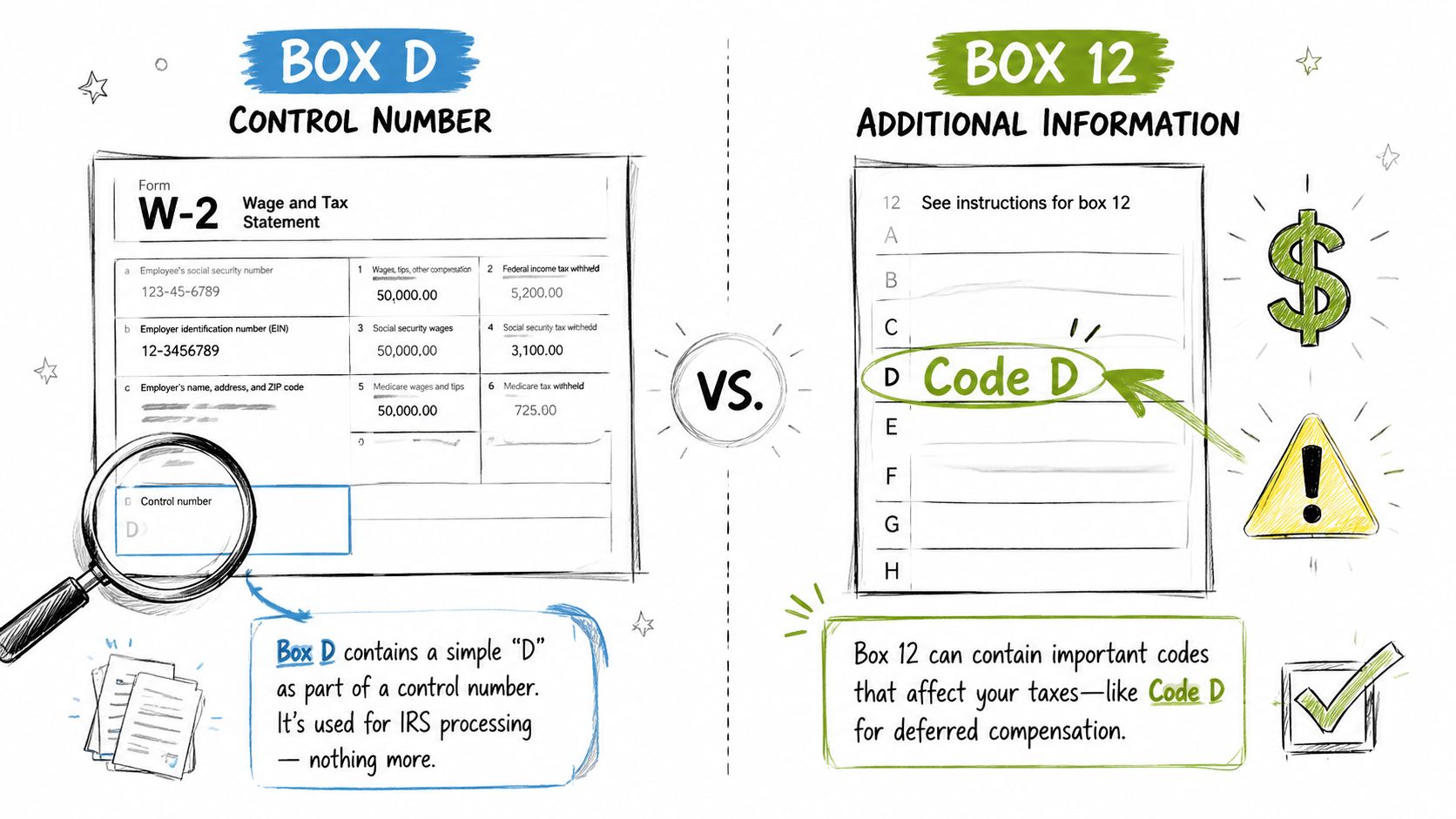
The IRS Instructions for Forms W-2 and W-3 explain this split clearly. Box d is for the employer's control number, while Box 12 uses codes, including Code D, to report specific compensation or benefit items.
Side by side comparison
| W-2 field | What it means | What to watch for |
|---|---|---|
| Box D | Employer control number | Usually a reference number. It may be blank. |
| Box 12 Code D | 401(k) elective deferrals | Appears with a dollar amount and belongs in Box 12 only. |
A simple visual check can save you from an easy mistake. Look at the location and look for an amount.
Box D sits by itself near the top portion of the W-2. It is an identifier, much like a file label on a folder in a bookkeeping cabinet.
Box 12 is a reporting area lower on the form. Each entry has a code and an amount. If you see the letter D there, your attention should go to the number next to it, not to Box D at the top.
A simple example
Say your screen asks for Box 12, Code D. You should find Box 12 on the W-2, then look for the line labeled D with a dollar amount beside it. If you type the control number from Box D instead, you are putting an internal payroll label into a tax reporting field.
Use this quick check before you continue:
- Match the box number first. If the prompt says Box 12, stay in Box 12.
- Check for a dollar amount. Code D in Box 12 comes with an amount. Box D does not.
- Read the full label. “Box D” and “Code D” are different labels on different parts of the form.
- Treat import warnings carefully. A message about a missing control number does not mean your retirement entry is missing.
If you remember one thing, make it this: Box D is a label, and Box 12 Code D is a reported tax item. That distinction prevents one of the most common W-2 entry errors.
Frequently Asked Questions About W2 Control Numbers
What should I do if my tax software says the control number is missing
First, compare the prompt with your W-2. If Box D is blank on the form, don't make up a number. Check whether the software is requiring the field or merely offering it. Many import or review screens phrase optional entries in a way that sounds mandatory.
If the warning blocks you, try re-entering the W-2 manually and follow the on-screen guidance. The main goal is to keep your wage and withholding data accurate.
Should a small business create control numbers for employees
It depends on how your payroll records are organized. If you manage only a small number of W-2s and can easily find each one by employee and tax year, you may not need them. If your process involves corrections, reissues, or multiple payroll record exports, a control number can make internal tracking cleaner.
If I receive a corrected W-2, will the control number change
It might, because that number serves the employer's internal record system. Some employers may keep a related identifier, while others may assign a different one when a corrected form is issued. The employee's job is to use the corrected wage and tax information, not to decode the employer's tracking method.
Can I ignore Box D completely
For many employees, yes. If it's blank, it's usually safe to leave it alone. If it's filled in, enter it only when your filing process asks for it.
Is Box D useful for anything outside the employer's records
Generally, no. Its purpose is internal organization. It isn't the box most employees need to focus on when checking a W-2 for filing accuracy.
If you want straightforward help with bookkeeping terms, payroll questions, and finance software research without the jargon, BookkeepDIY is a useful place to start. It's built for freelancers, small business owners, and hands-on bookkeepers who want clear explanations and practical guidance.



