
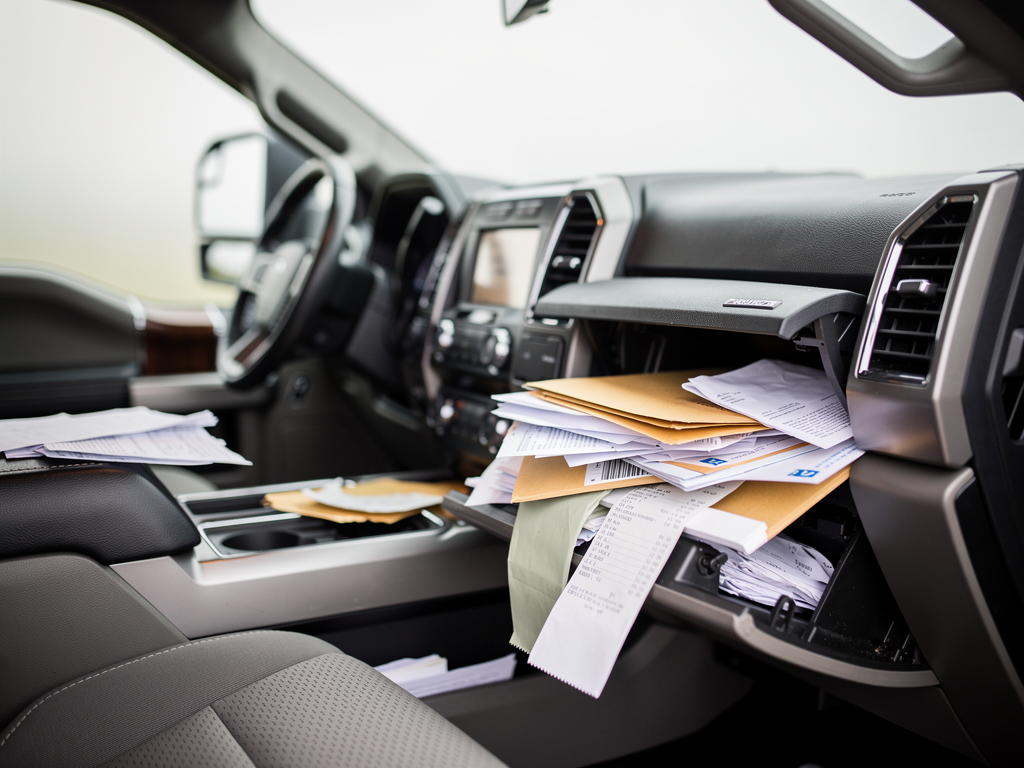

If you run a small business from the road, your truck doubles as your office. And the glove box becomes the catch-all for receipts, contracts, warranty slips, insurance cards, permit copies, client notes, business cards, and that one invoice you meant to file.
Then “later” turns into months. Paper curls. Ink fades. You can’t find the right document when a client asks on-site. Or you can’t produce it when you need it for taxes, a warranty claim, or an audit.
The glove box is for quick-access essentials, not recordkeeping. Here’s why, and how to fix it without creating an extra admin job.
Why the glove box becomes a filing cabinet (and why that’s a problem)
's Glove Box Is Not a Filing Cabinet infographic](https://bookkeepdiy.com/blog/content/images/2026/03/05_infographic-11.png)
The glove box is easy. It’s close, it feels “safe,” and you can drop things in it when you’re rushing to the next stop.
That convenience is exactly why it fails as a system:
- It’s not searchable. A stack of receipts isn’t a filing system. It’s a delay waiting to happen.
- It’s not consistent. Some papers end up in the console, door pocket, or passenger seat.
- It’s hard on paper. Heat, cold, moisture, and friction damage receipts quickly.
- It’s not secure. Glove boxes don’t do much in a smash-and-grab.
- It’s not compliant. Tax and permit records need to be retained and retrievable. “Somewhere in the truck” isn’t a standard you can rely on.
Treat the glove box like your desktop: fine for a few current items, unreliable for long-term storage.
The real-world risks: what it costs you (not just inconvenience)
Paper chaos isn’t just annoying. It costs time, money, and trust.
1) Missed deductions and higher taxes
If you can’t support an expense, you can’t comfortably deduct it. Common glove-box losses include:
- Fuel receipts with faded totals
- Tool purchases without itemized receipts
- Parking, tolls, and mileage records
- Job materials that should be billed or allocated to a project
Example: A freelance HVAC tech buys $1,200 in parts across three suppliers in a week. Receipts get mixed with personal purchases and disappear. At tax time, the accountant can’t categorize the spend cleanly. The tech either overpays taxes or burns hours rebuilding the paper trail.
2) Slow invoicing and delayed payment
When documents are scattered, invoicing slows down. When invoicing slows down, cash flow follows.
Example: A handyman finishes three jobs on Friday. Each client signed a work authorization. Those forms are buried under gas receipts. Monday arrives, the forms can’t be found, invoices don’t go out, and payment drifts a week.
3) Warranty and return issues
Warranties and returns usually require proof of purchase, serial numbers, and dates.
Example: A contractor’s laser level fails. The receipt is in the truck, but the ink is degraded from summer heat. The store can’t verify the purchase. The contractor eats the replacement cost.
4) Professionalism hits at the worst moment
When a client asks, “Can you send that estimate?” and your answer is, “It’s… somewhere in my truck,” you don’t look busy. You look disorganized.
5) Security and privacy risks
If your truck gets stolen or broken into, glove box paperwork can expose:
- Client addresses and contact info
- Payment records or deposit slips
- Insurance and registration details
- Vendor account info
That’s a business risk, not just a personal headache.
What should live in your glove box (and what shouldn’t)
A glove box works best as an immediate-access kit: things you may need during a traffic stop or roadside issue.
Keep in the glove box (or a small, labeled pouch)
- Vehicle registration and proof of insurance (as required)
- Emergency contact info
- Roadside assistance info (tow coverage, membership number)
- Small notepad and pen
- One current “active job” folder (optional, see below)
Do not use the glove box for long-term storage of:
- Receipts (fuel, supplies, meals)
- Contracts, signed estimates, work authorizations
- W-9s, 1099s, payroll info
- Permits and inspection docs (unless currently active)
- Warranty paperwork and serial number records
- Client information you wouldn’t want exposed in a break-in
If you’ll need it for taxes, compliance, billing, or disputes, don’t rely on memory and a pile of paper.
A better system: simple workflows that work from the road
You don’t need a complex admin setup. You need two things: a capture system and a weekly processing routine.
The two-container rule (physical)
Keep two containers in your truck:
1) IN box: a slim expanding folder or envelope for anything you collect during the day
2) OUT box: empty space (or a second folder) for anything already processed
Label the IN folder: TO FILE / TO SCAN.
Rule: If it’s paper you might need later, it goes in the IN folder. Not loose in the glove box.
Good options:
- Expanding file folder (monthly tabs work well)
- Accordion receipt organizer
- Clipboard folder for active work orders
- Zipper pouch inside a hard-sided folder (for spill protection)
The “one active job” exception
If you’re on a multi-day job and need documents daily, keep one active job folder within reach (glove box or door pocket). It should contain only:
- Current work order/estimate
- Permit copy for that site
- Client contact sheet
- Material list for that job
When the job ends, process it and clear the folder. No graveyard of old paperwork.
Go digital where it matters (without overcomplicating it)
Paper is fine for the handoff moment. It’s a poor long-term archive.
Minimum viable digital setup
Pick one approach you’ll actually maintain:
- Receipt scanning app (with vendor/total extraction)
- Cloud storage (Google Drive, OneDrive, Dropbox)
- Accounting software capture (attach receipts to transactions)
If you want a straightforward way to capture receipts from the road and keep them organized for taxes and bookkeeping, a tool like ReceiptsAI (https://receiptsai.com/) can handle scan-and-extract and reduce manual entry—useful if you’re trying to avoid a weekly pile-up.
Then standardize folders and file names so you can find things fast.
#### Simple folder structure for freelancers and small crews
- Business Admin
- 2026 Taxes
- Receipts (by month)
- Mileage
- Bank statements
- Clients
- ClientName_ProjectName_2026
- Vendors & Warranties
- Insurance & Vehicle
#### File naming that stays searchable
Use: `YYYY-MM-DD_Vendor_Amount_Category`
Example: `2026-03-10_HomeDepot_187.42_Materials.pdf`
Quick capture habit: “Park, pic, place”
When you stop, before you drive away:
1) Park
2) Pic (photo/scan the receipt or document)
3) Place it in the IN folder
It takes under a minute. It saves hours later.
Concrete examples: how different road-based businesses can set this up
Contractor with multiple job sites
- Truck: IN folder plus clipboard folder for the active job
- Digital: one client folder per project, upload signed work orders
- Weekly routine: every Friday, scan remaining paper and reconcile purchases by job (using your accounting software or a receipt tool such as ReceiptsAI)
Result: cleaner job costing and faster invoicing.
Freelance photographer on location
- Truck: IN pouch for parking receipts and gear rental slips
- Digital: “Shoots” folder with subfolders per client
- Workflow: upload model releases immediately after the shoot
Result: releases are easy to find if a usage dispute pops up later.
Mobile mechanic
- Truck: IN folder for parts receipts and warranty slips
- Digital: attach receipts to each customer invoice in your invoicing system
- Tip: photograph serial numbers at purchase and save them with the receipt
Result: smoother warranty claims and better records for customers.
Realtor or field consultant
- Truck: IN folder for signed forms (temporary only)
- Digital: scan and upload the same day. Never leave signed docs in the vehicle overnight.
- Routine: daily “inbox zero” for anything sensitive
Result: lower privacy risk and fewer compliance problems.
Make it stick: weekly admin that doesn’t ruin your weekend
This falls apart when you treat filing as a monthly cleanup project.
Keep it small and consistent.
20-minute Friday reset (or Monday morning)
- Empty the IN folder
- Scan anything not already captured (a dedicated workflow in an app like ReceiptsAI can help here if you’re processing a lot of receipts)
- Shred what you don’t need (or archive if required)
- Match receipts to transactions (bank feed or card statement)
- Move project documents into the correct client folder
- Clear the active job folder for the next week
If you have a team, make it standard:
- Driver drops the IN folder at the office
- Admin processes it
- Missing paperwork gets flagged immediately, not months later
Conclusion: turn your glove box back into what it’s meant to be
A glove box is a convenience compartment. If you use it as a filing cabinet, you’re taking on avoidable risk around taxes, cash flow, and professionalism—all because of a stack of fading paper.
Next steps (do this this week)
1) Set up your truck kit: buy an expanding folder and label it TO FILE / TO SCAN.
2) Create a simple digital structure: Taxes, Clients, Vendors/Warranties, Insurance/Vehicle.
3) Adopt one capture habit: “Park, pic, place” for every receipt.
4) Schedule a 20-minute weekly reset: same day, same time, recurring.
5) Limit glove box contents: roadside essentials plus (optional) one active job folder.
Do that, and your paperwork stops living in your truck. It starts supporting the business you’re actually trying to run.



