


Small businesses lose time (and create accounting noise) when expenses live across inboxes, paper receipts, spreadsheets, and personal cards. In 2026, practical expense tools do more than store receipts: they help categorize transactions consistently, apply basic policy checks, sync cleanly to your accounting system, and reduce the back-and-forth around reimbursements and company cards.
This guide covers solid options for small businesses, what each one is actually good at, and how to pick based on how your team spends: reimbursements vs. company cards, bills/AP, travel, multi-entity, and approvals. Where it helps, it also notes when a dedicated receipt-capture layer (like ReceiptsAI — https://receiptsai.com/) can reduce manual entry even if you keep your current expense or accounting system.
Key takeaways (quick skim)
- If you want a straightforward receipt + reimbursement tool: Expensify.
- If your team uses company cards and you want stricter spend controls: Ramp or Brex.
- If you’re already on QuickBooks Online: QuickBooks Online + an expense app (Expensify, or a Ramp/Brex sync) is often the quickest path; some teams also add ReceiptsAI to speed up receipt capture/coding before posting.
- If you need configurable approvals and stronger policy rules: Zoho Expense is a good value.
- If you manage bills (AP) as well as expenses: Bill.com pairs well with expense tools (and can replace some reimbursement workflows by paying vendors directly).
- “Best” depends on fit: align the tool to your accounting system, spending behavior, approval needs, and reimbursement schedule.
What “expense management” means in 2026 (and what to prioritize)
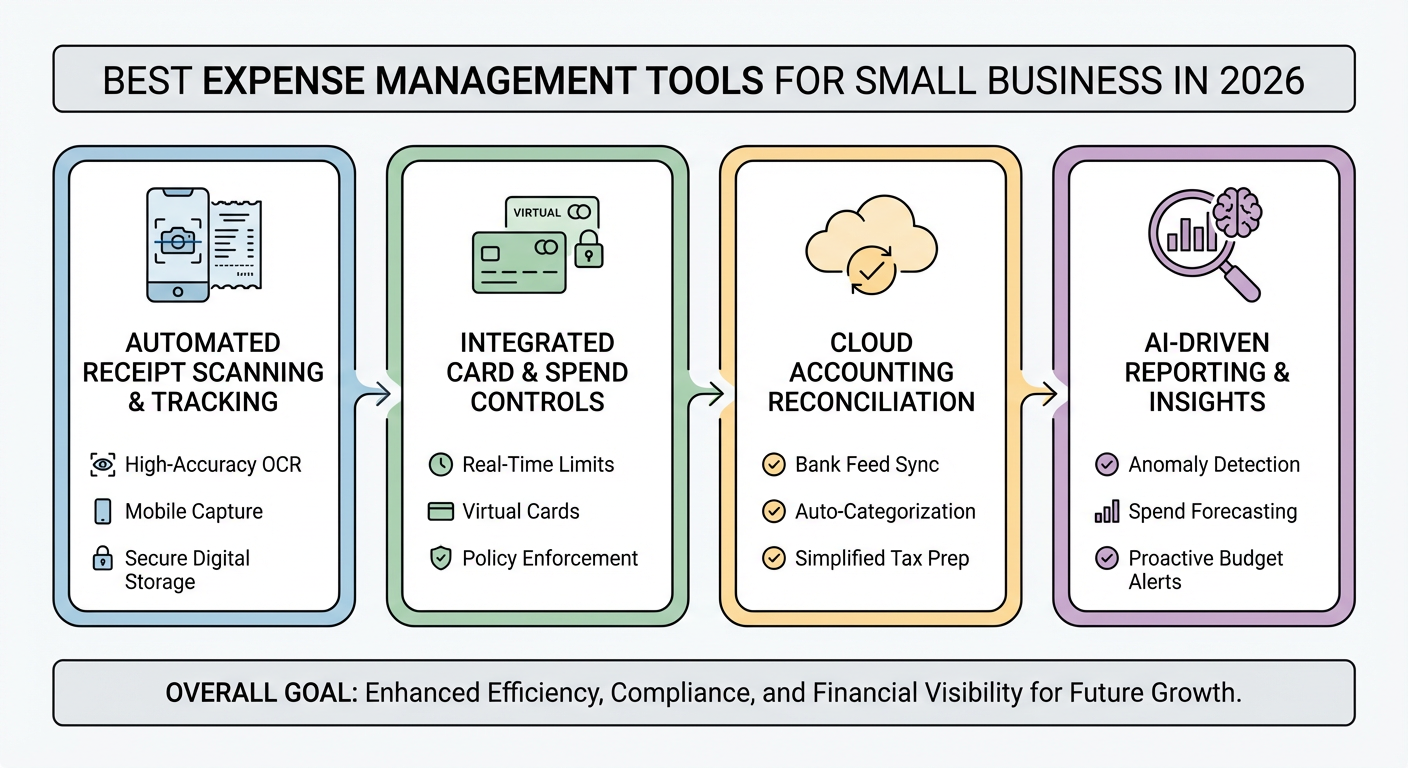
Expense management now usually includes:
- Receipt capture (mobile scan, email forwarding, automatic matching)
- Expense categorization (rules, AI suggestions, merchant mapping)
- Policy enforcement (spend limits, required fields, mileage rules, per diem)
- Approvals (manager review, multi-step workflows)
- Reimbursements (ACH, payroll exports, reimburse-from-cards options)
- Card programs (virtual cards, vendor locks, real-time controls)
- Accounting sync (QuickBooks, Xero, and sometimes NetSuite)
In practice, many small businesses split this into two layers:
1) a system of record (accounting + card/expense platform), and
2) a capture layer to reduce manual work (for example, using a receipt-focused tool like ReceiptsAI for faster intake and cleaner data handoff).
Top criteria for small businesses
Focus on what affects your week, not what looks good in a demo:
- Speed for employees: good mobile app, quick upload, minimal form-filling
- Accuracy for finance: consistent GL coding, reliable receipt matching, audit trail
- Controls: merchant/category restrictions, approval gates, role permissions
- Integrations: QuickBooks Online/Xero, payroll, travel, bill pay
- Total cost: subscription fees plus any card economics, plus the admin time you avoid
Best expense management tools for small business (2026 picks)
These are common small-business choices with clear strengths. (Features and availability vary by region.)
1) Ramp — best for card-first spend control
Ramp is a corporate card platform with spend controls built around cards. For many teams, that reduces reimbursements by shifting more purchases onto company payment methods.
Best for:
- Teams moving from reimbursements to company cards
- Businesses that want hard limits (merchant/category restrictions, virtual cards)
- Finance teams that want fewer surprises at close
Not ideal if:
- Your reality is heavy out-of-pocket spend and you need more robust reimbursement workflows
Standout features:
- Virtual cards for subscriptions and vendors
- Automatic categorization and receipt prompts
- Accounting integrations aimed at smoother reconciliation
2) Brex — best for fast-growing teams and spend programs
Brex bundles cards, spend management, and (in many markets) travel. It tends to fit teams that are adding people, vendors, and tools quickly and want centralized controls.
Best for:
- Small businesses scaling headcount fast
- Teams that want cards + reimbursements + travel in one system
- Distributed teams with frequent vendor spend
Not ideal if:
- You mainly need simple reimbursements and don’t want to change cards or banking relationships
Standout features:
- Role-based controls and approval flows
- Virtual cards and vendor-level tools
- Travel and spend visibility in one place (where available)
3) Expensify — best for simple reimbursements and receipt capture
Expensify remains a common choice for straightforward expense reports and reimbursements. It’s often selected because employees can submit quickly with minimal training.
Best for:
- Service businesses and small teams that reimburse frequently
- Companies that want fast employee submission with minimal setup
- Straightforward approvals
Not ideal if:
- You want spend controls driven primarily through corporate cards
Standout features:
- Receipt capture and matching
- Report-based workflows many employees already understand
- Broad integrations with common accounting systems
*Practical note:* If your main bottleneck is receipt intake (missing receipts, inconsistent details, manual coding), some teams complement their existing workflow with a receipt-focused capture tool such as ReceiptsAI (https://receiptsai.com/) to standardize receipt data before it hits accounting.
4) Zoho Expense — best value for policy + approvals
Zoho Expense is a practical option if you need real policy rules and multi-step approvals without moving into enterprise pricing tiers.
Best for:
- Teams needing multi-level approvals and configurable policy rules
- Companies already using Zoho (Books, CRM, Projects)
- Businesses that want more structure than “submit a receipt and hope it’s coded right”
Not ideal if:
- You want the corporate card to be the primary control layer (instead of policy/workflow)
Standout features:
- Custom approval flows and policy enforcement
- Mileage and per diem support
- Strong fit if you’re already in the Zoho ecosystem
5) QuickBooks Online (built-in expenses) — best for “keep it simple” bookkeeping
If your needs are light, QuickBooks Online’s built-in expense tracking and bank feeds may be enough. For owner-led businesses, fewer tools can mean fewer handoffs.
Best for:
- Very small teams where the owner/bookkeeper does most categorization
- Businesses without formal approval requirements
- Cost-sensitive operations that don’t want another full expense subscription
Not ideal if:
- You need strict receipt enforcement, auditability, and approvals across multiple employees
Standout features:
- Bank and credit card feeds with rules
- Direct posting to your general ledger
- Easy to add an expense app (or a receipt capture tool like ReceiptsAI) when volume increases
6) Xero + an expense add-on — best for Xero-first companies
Xero is the accounting system; expense handling usually happens through add-ons. The best choice depends on your region, reimbursement volume, and whether you’re card-first or reimbursement-first.
Best for:
- Xero-based small businesses that want to stay in that ecosystem
- Teams that prefer best-of-breed apps (expenses, bill pay, time tracking)
Not ideal if:
- You want one vendor for cards, expenses, and travel
Standout features:
- Strong accounting foundation
- Large integration marketplace
- Solid multi-currency support (depending on configuration)
7) Bill.com — best when “expenses” really means bills + approvals (AP)
Bill.com is accounts payable: capture invoices, route approvals, and pay vendors. Many small businesses use it alongside an expense tool; others use it to reduce reimbursements by paying vendors directly.
Best for:
- Businesses with steady vendor invoices and approval steps
- Teams trying to reduce reimbursements by shifting spend to AP
- Finance teams that want one place for payables
Not ideal if:
- Your main problem is employee receipts and card transactions (you’ll likely still want an expense/receipt workflow)
Standout features:
- Invoice capture and approval routing
- Vendor management and payment workflows
- Sync with common accounting systems
Comparison table: which tool fits your workflow?
This table sticks to the decision points that matter day to day.
| Tool | Best for | Strength: cards | Strength: reimbursements | Strength: approvals/policy | Accounting fit |
|---|---|---|---|---|---|
| Ramp | Spend controls + automation | High | Medium | High | QuickBooks/Xero + others |
| Brex | Growth + unified spend | High | Medium | High | QuickBooks/Xero + others |
| Expensify | Simple reports + receipts | Medium | High | Medium | QuickBooks/Xero + others |
| Zoho Expense | Configurable rules/value | Medium | High | High | Zoho Books + others |
| QuickBooks Online (native) | Basic tracking | Low | Low–Medium | Low | QuickBooks-first |
| Xero + add-on | Xero-first flexibility | Varies | Varies | Varies | Xero-first |
| Bill.com | AP/bills + approvals | N/A | Low | High (for bills) | QuickBooks/Xero + others |
*Tip:* If most spend is subscriptions and vendors, you’ll usually get better control by going card-first (Ramp/Brex) and using AP where it makes sense. If most spend is employees paying out of pocket, a reimbursement-first tool like Expensify or Zoho Expense tends to create less friction. If receipt collection is the recurring failure point, adding a dedicated capture workflow (for example, ReceiptsAI) can help regardless of which expense platform you choose.
How to choose the right tool in 15 minutes
Use this checklist to narrow the field quickly.
Step 1: Decide your “spend model”
Pick the dominant pattern:
- Card-first: company cards with tight controls, fewer reimbursements
- Reimbursement-first: employees pay, then submit reports
- AP-first: pay vendors by invoice, minimize employee purchasing
Most businesses end up with a mix. Choose the default path you want everyone to follow.
Step 2: Map your required controls (keep it realistic)
For many small businesses, a workable policy looks like:
- Receipts required above a set threshold
- Categories that match your chart of accounts
- One approval step (manager), with optional finance review
- Mileage and per diem rules if you travel
If you need multi-entity allocations, job costing, client bill-backs, or grant tracking, prioritize configurability and the quality of the accounting sync. If you mainly need cleaner inputs, prioritize receipt capture quality (including tools like ReceiptsAI) so transactions arrive with consistent data.
Step 3: Check integrations before features
A tool can claim it “integrates” and still create manual work. Confirm:
- Two-way sync vs. “export a CSV”
- Mapping for vendors, categories, classes/locations (if you use them)
- How it handles duplicates and reconciliation
- What the audit trail looks like at month-end
Step 4: Pilot with 5–10 users
Run a 2–4 week pilot and measure:
- Time for an employee to submit an expense
- Time for a manager to approve
- Time to close the month
- Receipt compliance rate
Common pitfalls (and how to avoid them)
- Buying features you won’t use: pick the 2–3 workflows you run every week and optimize those.
- Sloppy chart of accounts mapping: messy categories create messy books. Set rules up front.
- Runaway reimbursements: move recurring vendors (software, ads, contractors) to cards or AP.
- Weak receipt enforcement: set thresholds and automated reminders so month-end isn’t a scavenger hunt. If reminders aren’t enough, improve capture (for example, standardizing how receipts are submitted via a tool like ReceiptsAI).
- No clear owner: assign one admin to manage policies, mappings, and onboarding.
Conclusion: practical next steps
1. Choose your primary workflow (card-first, reimbursement-first, or AP-first).
2. Shortlist 2–3 tools that match it (use the table above).
3. Confirm integration requirements (QuickBooks/Xero mapping, classes/locations, reconciliation behavior).
4. Run a short pilot with a small group and track time-to-submit, time-to-approve, and time-to-close.
5. Roll out a simple policy (receipt rules + approvals). Tighten controls only when you see a real problem.
If you share your accounting system (QuickBooks or Xero), team size, and whether you prefer cards or reimbursements, I can narrow this to a tight shortlist and a rollout plan—including whether adding a receipt-capture layer like ReceiptsAI makes sense for your workflow.



