

You made your first sales. The order notifications felt great. Then the payout reached your bank account and the excitement turned into confusion.
You expected the deposit to match your store sales. It didn't.
That moment is where bookkeeping for e-commerce starts to feel different from every basic bookkeeping guide you've read. Your store may show one number. Your payment processor shows another. Your bank shows a third. None of them are necessarily wrong, but they are reporting different parts of the same story.
A lot of new store owners assume bookkeeping means recording what hit the bank. That works poorly online. If you book only deposits, you can miss fees, refunds, and timing differences that matter for profit. The fix isn't harder math. It's learning how the money moves.
Your First E-commerce Payout Is a Puzzle
A new store owner checks yesterday's sales and sees a strong day. Then a payout lands in the bank a few days later, and the amount is lower than expected. Nothing looks obviously broken. Orders were paid. Customers got confirmations. Cash arrived. But the numbers don't line up.
That gap creates most of the anxiety around bookkeeping for e-commerce.
Why the deposit looks wrong
Your platform usually tracks gross activity first. That includes sales, refunds, shipping charges, taxes collected, and fees. Your bank only receives the net payout, which is what remains after the platform or processor takes out what it's owed and settles the balance on its own schedule.
Think of a settlement report like a paycheck stub. Your paycheck stub shows total pay, deductions, and what reaches your bank. Your store's settlement report does the same thing for online sales.
The problem is that many owners look at only two points:
- Store dashboard total: what customers paid
- Bank deposit: what arrived
They skip the middle.
The missing middle is where bookkeeping happens
That middle layer contains the details that explain the payout:
- Processing fees
- Marketplace fees
- Refunds
- Chargebacks or adjustments
- Payout timing delays
A common example comes from direct website sales. A platform can charge $1.75 per $50 sale at 2.9% + $0.30 in fees, and settlement reports can also lag, with Shopify payouts delayed 2–7 days according to Fulfil's explanation of e-commerce payout matching. That means the day you make a sale often isn't the day cash hits your account.
Most confusion starts when owners compare today's sales to today's bank activity. Those numbers often belong to different time periods.
Once you understand that, your books start to make sense. The job isn't to force every screen to match instantly. The job is to connect the sales activity, the settlement report, and the bank deposit in the right order.
Why E-commerce Bookkeeping Is Different
Your first instinct may be to treat your online store like a simple retail shop. Money came in, money hit the bank, case closed.
That shortcut causes trouble fast.
A local shop can often record sales from a register, compare them to the day's deposit, and get a clean match. An online store works through several checkpoints first. Orders can come from multiple channels. Payment processors or marketplaces can hold funds, deduct fees, group transactions together, and release one net payout later. The bank deposit is the last step, not the full story.

A retail sale versus an online sale
In a simple in-person sale, the path is short. Customer pays, store records revenue, bank receives cash.
In an online sale, the path has layers. A customer places an order. The sales channel records the order total. Fees are deducted before payout. A refund or adjustment might be applied before the money is sent. Then one bundled deposit reaches your bank, often on a different day.
For this reason, online bookkeeping needs records that separate gross sales, fees, refunds, tax collected, and the amount still waiting to be paid out. If you record only the bank deposit as income, your revenue looks too low and your fees disappear into the background.
A good way to frame it is this: the settlement report works like a paycheck stub. The bank deposit shows what you received. The settlement report explains how the store got there.
If you want a plain-language primer on the wider accounting side, this guide to e-commerce accounting basics is a useful companion.
Five ways online bookkeeping gets complicated
High transaction volume
Online stores create a long paper trail, even with a small catalog. One day of activity can include sales, partial refunds, shipping charges, discount codes, processor deductions, and payout adjustments. Each item affects your books differently.
Fee layers
Fees rarely arrive as one neat expense line. You may see payment processing fees, marketplace commissions, fulfillment charges, subscription deductions, and other platform costs. Grouping all of them into a single bucket makes it harder to see where margin is shrinking.
Sales tax handling
Tax collected at checkout is not store income. It is money you collected on behalf of a tax agency and still owe until you remit it. If tax is mixed into revenue, your profit and loss report overstates sales.
Inventory and cost of goods sold
Buying inventory and selling inventory are separate accounting events. Products usually sit on the balance sheet as inventory until they are sold, and only then move into cost of goods sold. Expensing purchases as soon as they arrive can make one month look weak and the next month look unusually strong.
Settlement timing
This is the area many new owners miss. The order date, settlement date, and bank deposit date often do not match. That gap is normal, but your bookkeeping has to track it on purpose.
Here is the key idea. Your store can be profitable on paper before cash arrives, and a bank deposit can arrive without telling you how much of it was sales, fees, taxes, or refunds.
Practical rule: If your books record only what lands in the bank, you are tracking payouts, not true store performance.
Building Your E-commerce Chart of Accounts
A Chart of Accounts, often shortened to COA, is the filing system for your books. If it's too generic, your reports stay blurry. If it reflects how an online store operates, your profit and loss starts telling a clean story.
Your COA doesn't need to be huge. It needs to be useful.
What a good COA does
A solid e-commerce COA separates sales channels, fee types, clearing accounts, tax liabilities, and inventory-related costs. That way, when you review a month of activity, you can see what happened without digging through raw payouts.
A good chart of accounts doesn't just organize transactions. It explains how your store makes money, where it leaks money, and what still needs to be paid.
Sample e-commerce chart of accounts
| Account Type | Account Name | Purpose |
|---|---|---|
| Income | Website Sales | Records gross sales from your own store |
| Income | Marketplace Sales | Records gross sales from marketplace channels |
| Income | Shipping Income | Tracks what customers paid for shipping |
| Contra Income or Expense | Discounts and Promotions | Separates discounts from full-price sales |
| Asset | Payment Processor Clearing | Holds unsettled sales before payout reaches the bank |
| Asset | Marketplace Clearing | Tracks balances waiting for marketplace settlement |
| Asset | Inventory | Records products held for sale |
| Liability | Sales Tax Payable | Tracks tax collected but not yet remitted |
| Expense | Payment Processing Fees | Captures processor deductions |
| Expense | Marketplace Fees | Captures platform-related selling costs |
| Expense | Shipping and Fulfillment | Tracks outbound shipping and fulfillment charges |
| Expense | Refunds and Returns | Tracks customer returns and refunded amounts |
| Cost of Goods Sold | Cost of Goods Sold | Records product cost when items are sold |
| Bank | Business Checking | Records actual cash in the business bank account |
The accounts many owners skip
The most important accounts for bookkeeping for e-commerce are often the least intuitive:
- Clearing accounts: These hold activity temporarily while you wait for payout. They bridge the gap between order activity and bank cash.
- Sales tax payable: This prevents tax collected from inflating revenue.
- Separate fee accounts: These show where margin disappears.
- Channel-specific sales accounts: These help you understand which channel is producing useful profit.
If inventory still feels fuzzy, this explainer on inventory cost accounting can help you connect product costs to your monthly reporting.
Keep the structure simple enough to maintain
Don't create dozens of tiny accounts just because your platform exports dozens of columns. Start with categories that help you answer real questions:
- Which channel generated the sale?
- Which fees reduced the payout?
- What tax did you collect?
- What product cost belongs to the sale?
- What cash has not settled yet?
That's enough to produce clean reports and keep your first year manageable.
Essential Bookkeeping Workflows and Routines
Your first payout can feel wrong even when it is correct.
You sold a certain amount this week, but the bank deposit is lower. A refund was pulled out. Fees were deducted before the money reached your account. Part of the balance may still be pending. That gap between the settlement report and the bank deposit is where many store owners lose track of profit.
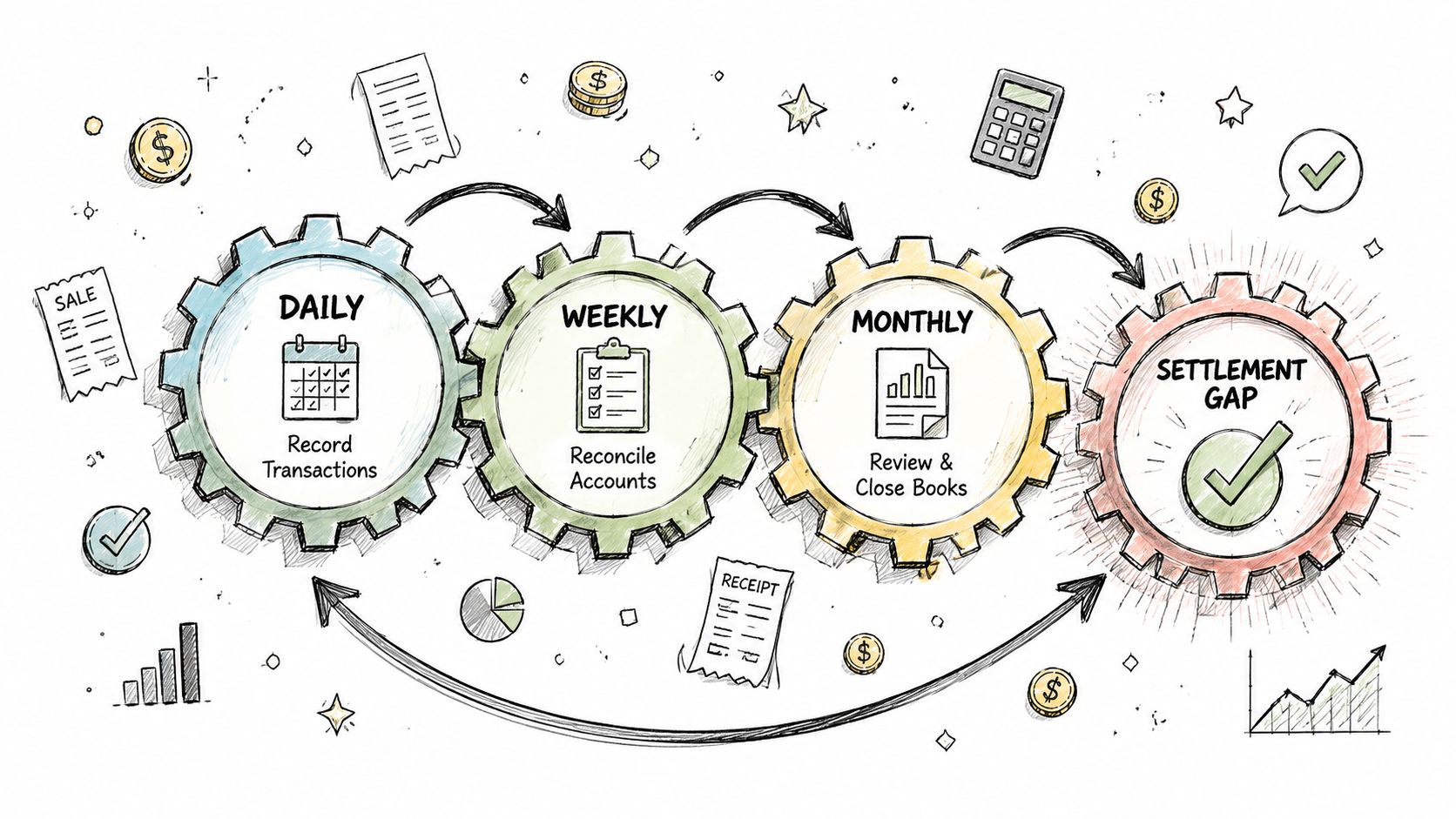
A simple routine fixes that.
The goal is not to stare at every order all day. The goal is to keep a clean trail from sale, to settlement, to cash in the bank. A settlement report works a lot like a paycheck stub. Your paycheck stub shows gross pay, tax withholdings, and deductions, while the bank only shows the final deposit. E-commerce payouts work the same way.
Your daily and weekly rhythm
Short check-ins prevent messy month-end cleanup.
- Review sales activity: Confirm orders are flowing normally and spot unusual refunds, chargebacks, or canceled orders.
- Watch payout status: Note which sales are still pending and which are attached to upcoming payouts.
- Save source reports: Keep settlement reports, payout summaries, and bank records organized by month.
- Flag exceptions early: A duplicate adjustment or missing payout is much easier to fix while the transaction is still fresh.
These habits are small, but they protect you from a common problem. By month-end, it becomes much harder to remember why one deposit was short or why a refund appeared to belong to the wrong period.
The monthly reconciliation routine
This workflow is the core of the process, turning approximate bookkeeping into an accurate record.
Step 1: Start with the settlement report
Begin with the settlement report for the payout period, not the bank deposit by itself. The deposit only shows the ending number. The settlement report shows how the platform got there.
Look for:
- Gross sales
- Refunds
- Fees
- Other adjustments
- Net amount paid out
If the bank deposit is the final score, the settlement report is the box score.
Step 2: Record gross activity, not just net cash
Your books should show the full sale before deductions. If you record only the deposit as revenue, your income looks smaller than it really was, and your fees can disappear from the records.
A clean entry separates:
- sales income
- refund activity
- fee expense
- tax collected, if applicable
- the amount moving through clearing before cash arrives
That separation is what lets you answer a basic question with confidence: did the store earn less, or did fees and refunds eat the margin?
Step 3: Use a clearing account
A clearing account is a temporary holding place between order activity and the final bank deposit.
It works like a waiting room for cash.
- When sales happen, record the amounts to revenue, tax, and the clearing account.
- When the platform deducts fees or refunds, post those items against the same clearing account.
- When the payout reaches the bank, move the remaining balance from clearing to cash.
This creates a bridge between what happened on the selling platform and what landed in your checking account.
If the clearing account returns to zero after the payout is fully posted, your reconciliation is probably in good shape.
Step 4: Match the payout to the bank deposit
Now compare the settlement report's net payout to the amount that hit the bank. The dates may not match exactly. That is normal. Many platforms close one period and deposit the cash a day or two later.
If the numbers do not tie, check for:
- A reserve held back by the platform
- A prior-period refund
- A payout split across dates
- A bank processing delay
This is the reconciliation gap many guides skip. It matters because profit is often misread here. Owners see a smaller bank deposit and assume sales were weak, when the real story is fee deductions, returns, or timing.
Step 5: Review fee detail before closing the month
Fee detail deserves its own review. Grouping every deduction into one vague expense line hides what is happening to margin.
If your reports separate processing fees, marketplace fees, fulfillment charges, or advertising deductions, keep that detail in your books where it is practical to do so.
That is how a store owner moves from a general impression to a useful conclusion. Sales may have increased while take-home profit fell because fulfillment costs rose or refunds spiked.
A simple monthly checklist
| Task | What you're confirming |
|---|---|
| Compare sales reports to settlement reports | Gross activity is complete |
| Review refunds and adjustments | Returns are recorded in the correct period |
| Match net payouts to bank deposits | Cash receipts tie to settlements |
| Check clearing accounts | Old balances are investigated, not ignored |
| Review fee categories | Expenses are complete and visible |
| Verify sales tax liability | Collected tax wasn't booked as revenue |
A store owner who follows this routine can trace the path of the money with much less stress. The books stop being a mystery and start working like a map.
Choosing the Right Bookkeeping Software
Once you understand the workflow, software becomes easier to judge. The right system doesn't just record transactions. It reduces the amount of manual cleanup required to connect sales activity, fee deductions, and cash deposits.
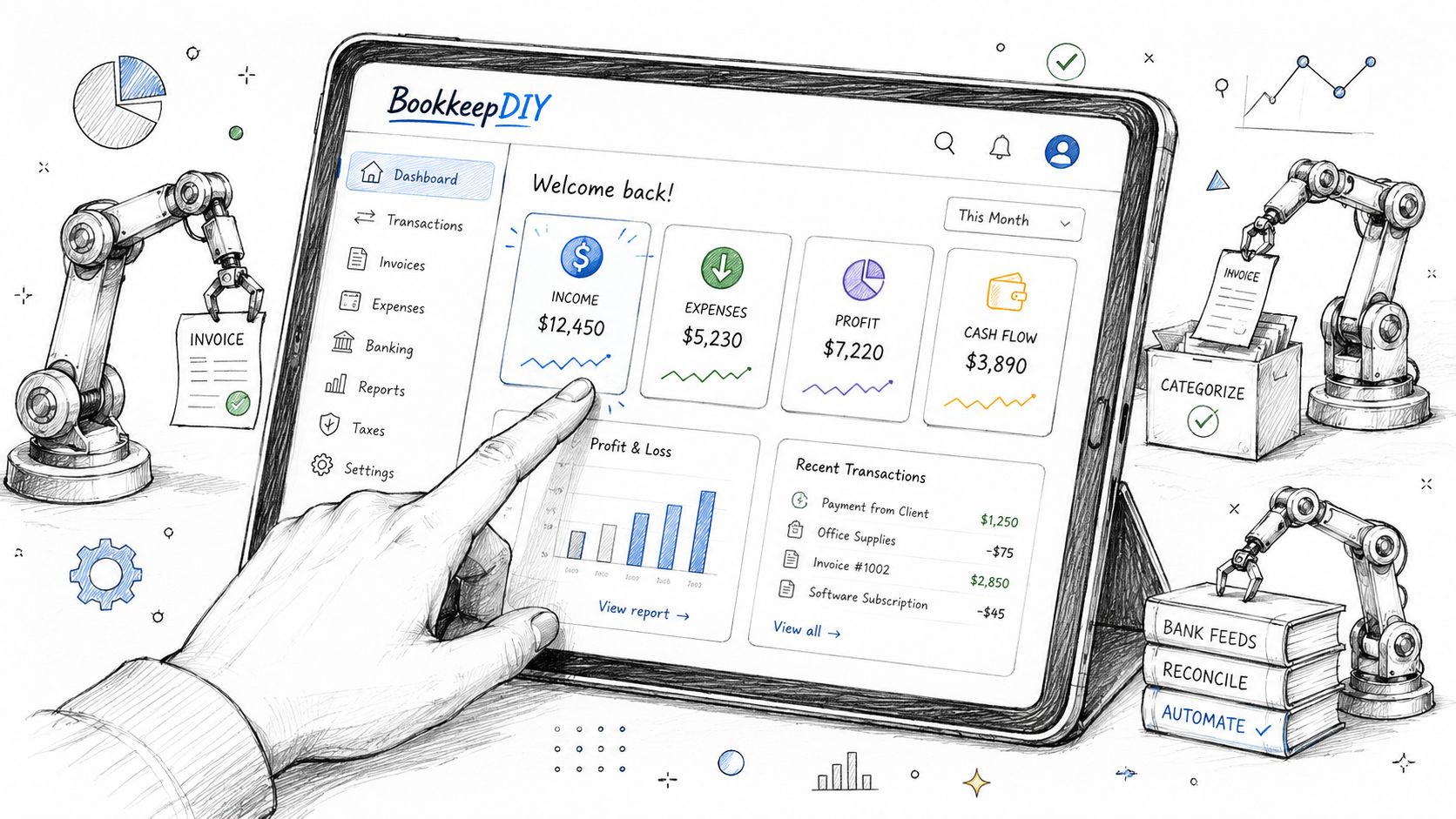
The mistake many owners make is choosing software the way they'd choose a generic small-business ledger. For e-commerce, the better question is this: Can this system handle settlement data cleanly?
What matters more than brand names
You don't need a giant feature list. You need a short list of essentials.
Integration with your sales channels
Your bookkeeping system should connect smoothly with the places you sell and collect payments. If data has to be copied manually from multiple dashboards, errors creep in fast.
Look for software that can ingest channel data in a way that preserves gross sales, fees, refunds, and payout timing.
Settlement report handling
This is the big one. The system should help you reconcile settlement reports against bank activity. If it only pulls bank feeds and calls that “automation,” it's incomplete for an online store.
Good software supports a workflow where lump-sum payouts can be split into the underlying accounting pieces.
Flexible chart of accounts mapping
Every store's books need a usable structure. Your software should let you map incoming transaction data to the accounts that make sense for your business, not force everything into a generic sales bucket.
Clearing account support
If the software can't support clearing accounts cleanly, payout reconciliation becomes awkward. That usually means more journal entry cleanup at month-end.
Inventory awareness
Even if you use a separate inventory system, your accounting setup should still respect inventory and cost of goods sold. Otherwise your profit reports will mislead you.
A practical decision checklist
Use this checklist when evaluating software or an automation layer:
- Data quality first: Does it bring in full transaction detail, or only bank deposits?
- Fee visibility: Can you separate meaningful fee categories?
- Settlement workflow: Can you match payout reports to bank deposits without workarounds?
- Mapping control: Can you decide where sales, refunds, tax, and fees go in your COA?
- Month-end sanity: Will this reduce cleanup, or create more of it?
If you want to explore one example of a settlement-focused connector category, this page on A2X shows the kind of functionality many e-commerce sellers look for.
Buyer mindset: Don't ask whether the software can “do bookkeeping.” Ask whether it can explain a payout.
When a spreadsheet stops being enough
A spreadsheet can work for a very small store with low volume and one channel. It usually breaks down when any of these start happening:
- more than one sales channel
- frequent refunds
- fee complexity
- inventory movement
- delayed payouts that overlap month-end
At that point, software isn't a luxury. It's a control system.
Common Mistakes That Cost E-commerce Stores Money
The costliest bookkeeping mistakes usually don't look dramatic. They lie in the books and distort profit, tax, or cash until a deadline forces you to look closely.
Booking net deposits as revenue
This is the classic error. You receive a payout and record that amount as sales. The result is understated revenue and missing fee expenses. Your reports stop showing what customers paid and what selling those orders cost.
The fix is simple. Record gross sales first, then fees, refunds, and tax separately, then match the payout to cash.
Ignoring sales tax liability
Collected sales tax can feel like part of a sale because the customer paid it at checkout. It isn't income for the business. It's money you may owe to a tax authority.
The fix is to route collected tax into a liability account from the start. That keeps revenue clean and prevents unpleasant surprises later.
Treating inventory purchases as immediate expense
When owners expense inventory as soon as they buy it, profit can look terrible in purchase-heavy months and artificially strong in sales-heavy months. That makes trend analysis unreliable.
The fix is to record inventory as an asset first and move cost into cost of goods sold when products are sold.
Mixing personal and business spending
Commingling creates cleanup work, weakens reporting, and makes tax prep harder than it needs to be. It also hides whether the business itself is generating enough cash to support operations.
The fix is boring but powerful. Use separate bank and card accounts for business activity, and reimburse yourself properly when needed.
Clean books don't happen because a store avoids mistakes completely. They happen because the owner catches small mistakes before they pile up.
E-commerce Bookkeeping FAQ
How often should I do my bookkeeping
Treat bookkeeping like routine store maintenance. A quick review each week keeps small errors from turning into a cleanup project later.
For many stores, weekly transaction review and monthly closing is a good rhythm. Check sales activity, refunds, fees, and bank deposits regularly. Then reconcile each payout to the settlement report, the same way you would compare a paycheck stub to the amount that hit your bank account.
Waiting until quarter-end or tax time usually creates one big problem. You can still see the deposit, but the details behind it are harder to trace back to fees, reserve holds, refunds, or tax.
Can I use a spreadsheet instead of software
A spreadsheet can work for a very simple store with low order volume and few moving parts.
The trouble starts when your payout is no longer a clean copy of your sales. Once you have regular fee deductions, refunds, chargebacks, inventory changes, and sales tax collected, spreadsheets become easier to break and harder to trust. One formula error can leave you with a bank balance that looks right while revenue and expenses are wrong underneath.
Software helps because it gives each piece its own place. Gross sales stay separate from processing fees. Refunds stay separate from new orders. The deposit becomes the final check, not the starting point.
Do I need a specialized e-commerce bookkeeper or accountant
A specialized bookkeeper is worth considering when your store is growing, selling in more than one channel, or producing payout reports you cannot explain with confidence.
That last point matters more than many owners expect. Plenty of stores know what reached the bank, but not why the deposit was smaller than sales. An e-commerce accountant helps map the full path from customer payment to settlement report to bank deposit, so your books show both real revenue and the true cost of earning it.
Even if you plan to keep the books yourself, an early review can save a lot of correction work later. Good structure in month one is much easier than rebuilding the year at tax time.
If you want help choosing bookkeeping software, understanding accounting terms, or comparing finance tools without the usual jargon, BookkeepDIY is a practical place to start. It's built for small business owners who need clear explanations and a simpler path to better bookkeeping decisions.



