
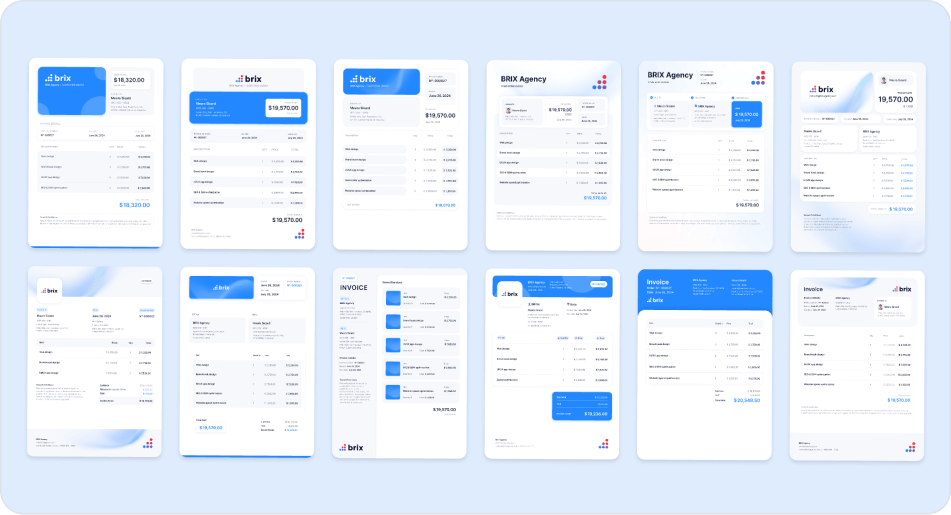

A professional invoice does more than request payment. It reinforces your credibility, keeps your books in order, and often determines how quickly you get paid. Whether you are a designer, developer, writer, or consultant, knowing how to craft an effective invoice is essential.
This guide covers everything you need to create invoices that look professional, meet legal requirements, and encourage prompt payment.
What Every Invoice Must Include
Certain elements belong on every invoice. Omitting them creates confusion and delays payment.
Your Business Information
Include your business name, address, phone number, and email. Use your registered business name or LLC if you have one. If you operate as a sole proprietor, use your personal name. Add your logo if you have one. It strengthens brand recognition and looks more professional.
Client Information
List your client's full business name and address. For individuals, use their full name. Double-check spelling and addresses. Sending an invoice to the wrong person is one of the most common causes of payment delays.
For larger companies, note the specific contact or department that handles payments, such as "Accounts Payable."
Invoice Number and Date
Every invoice needs a unique identifier for tracking. Sequential numbering (001, 002, 003) works well. Include the invoice date to establish payment deadlines.
Description of Services
Be specific about what you are billing for. Instead of "Consulting services," write "Marketing strategy consultation, 5 hours at $100/hour." Detailed descriptions reduce questions and speed up payment.
Break work into separate line items when appropriate. If you completed multiple tasks, list them individually with their own prices.
Amount Due and Payment Terms
State the total amount due, including taxes. Specify payment terms clearly: "Net 30" means payment is due within 30 days. Other common terms include Net 15 or "Due upon receipt."
List your accepted payment methods and any relevant details, such as bank information or payment links.
Invoice Numbering Best Practices
A good numbering system keeps your records organized and makes it easy to track payments.
Sequential Numbering
The simplest approach is sequential: 001, 002, 003. This makes it easy to spot gaps in your records. Some freelancers start at 1001 to appear more established, though consistency matters more than where you start.
Date-Based Numbering
Incorporate dates for easier organization: INV-2024-001 or 2024-01-001. This helps with year-end bookkeeping and makes invoice dates instantly recognizable.
Client-Specific Numbering
For multiple ongoing clients, consider codes like ABC-001 for ABC Corp. This requires more organization but simplifies client-specific tracking.
Stick With Your System
Choose a numbering format before your first invoice and stay with it. Changing formats mid-year creates confusion in your records and with repeat clients.
How to Itemize Services Clearly
Clear itemization builds trust and reduces disputes.
Be Specific
Avoid vague descriptions like "project work." Instead:
- "Website homepage redesign, 8 hours"
- "Content writing: 3 blog posts, 1,500 words each"
- "Logo design, revision round 2"
Show Quantities and Rates
Break down pricing when possible. This helps clients understand your total and provides documentation if questions arise.
Examples:
- Social media management: 20 hours × $75/hour = $1,500
- Stock photo licenses: 5 images × $25 = $125
Separate Different Work Types
If a project involved work at different rates, list them separately. A developer might separate design hours from coding hours. This transparency justifies your pricing and shows professionalism.
Include Work Dates
For projects spanning multiple days, include when work was performed. This provides helpful context and documentation.
Setting Payment Terms
Clear payment expectations reduce delays and disputes.
Standard Terms
Net 30 is the business standard, meaning payment is due 30 days after the invoice date. Many freelancers prefer shorter terms:
- Net 15: Payment due in 15 days
- Net 7: Payment due in 7 days
- Due upon receipt: Payment expected immediately
Match your terms to your cash flow needs and industry norms. Creative professionals often use Net 15 or shorter. Consultants frequently use Net 30.
Late Fees
Consider stating a late fee policy on your invoices. A typical late fee is 1.5% monthly on overdue balances. This motivates timely payment and compensates you for delays. Mention this policy in your contract too.
Early Payment Discounts
Some freelancers offer small discounts for early payment, such as "2/10 Net 30" (2% discount if paid within 10 days, otherwise full amount due in 30 days). This can improve cash flow and build client goodwill.
Payment Methods
The easier you make payment, the faster you get paid. Offer multiple options.
Bank Transfers and ACH
Direct transfers work well for larger invoices. They carry lower fees than credit cards and deposit directly into your account. Include routing and account numbers, or use services that create secure payment links.
Online Payment Processors
PayPal, Stripe, and Square let clients pay by credit card. Processing fees typically run 2.9% plus a fixed amount, but the convenience usually leads to faster payment. Many invoicing tools integrate these processors directly.
Checks
Some clients still prefer checks. Include your mailing address on every invoice. Remember that checks take longer to arrive and clear.
International Payments
For international clients, use services like Wise or PayPal that handle currency conversion. State which currency your invoice uses and clarify who pays conversion fees.
Formatting and Design Tips
Your invoice reflects your professionalism. Good design does not require graphic design skills.
Keep It Clean
The best invoices read easily. Use white space, clear headings, and logical flow. Avoid unnecessary graphics or excessive color.
Use Professional Fonts
Choose readable fonts like Arial, Helvetica, or Georgia. Skip decorative scripts. Use size and weight to create hierarchy: larger, bolder text for headers and totals; smaller text for details.
Add Your Branding
Include your logo and use brand colors sparingly. Subtle color in headers or your logo area adds visual appeal without looking unprofessional.
Design for Mobile
Many clients view invoices on phones. Ensure readability on small screens with single-column layouts or responsive design for digital invoices.
Send PDFs
Always send invoices as PDFs, not editable documents. PDFs preserve your formatting and cannot be accidentally altered.
Recommended Invoice Tools
Dedicated invoicing software saves time and adds features. You can start with Word or Excel, but specialized tools quickly pay for themselves.
Free Options
Wave: Completely free invoicing and accounting for small businesses. Includes unlimited invoicing, receipt scanning, and basic accounting.
Invoice Ninja: Free, open-source platform with time tracking and expense management.
Zoho Invoice: Free for up to five customers, with professional templates and payment integration.
Paid Options
FreshBooks: Popular with freelancers, starting around $15 monthly. Includes time tracking, expense management, and automatic payment reminders.
QuickBooks: Full accounting software with robust invoicing. Plans start around $30 monthly but include complete bookkeeping.
Bonsai: Built for freelancers and agencies, combining invoicing with contracts, proposals, and time tracking.
When to Upgrade
Start free and upgrade when needed. Signs you are ready for paid software: managing more than ten clients, needing integrated time tracking, or wanting automatic payment reminders.
Common Invoice Mistakes
Even experienced freelancers make these errors. Avoid them to get paid faster.
Sending to the Wrong Person
Confirm who handles payments at your client's company. Sending invoices to your project contact instead of accounting creates frequent delays.
Vague Descriptions
Unclear line items confuse clients and generate questions that slow payment. Specify exactly what you are billing for.
Math Errors
Double-check calculations. Incorrect math looks unprofessional and requires sending corrections, further delaying payment.
Missing Contact Information
Include current contact details. If clients cannot reach you with questions, payment stalls.
Failing to Follow Up
Many freelancers avoid following up on late payments. Do not leave money on the table because you feel awkward asking. Professional follow-up is standard business practice.
Handling Late Payments
Even perfect invoices sometimes go unpaid. Have a follow-up strategy ready.
Send Reminders
A few days before the due date, send a polite reminder. Many clients appreciate this nudge.
Contact Immediately After Due Date
If payment does not arrive on time, email the next business day. Invoices sometimes get lost, and a simple reminder fixes the problem.
Escalate Step by Step
If the first reminder fails, wait a week and send a more formal notice. Mention your late fee policy. If still unpaid, try a phone call.
Pause Work When Necessary
For ongoing projects, consider stopping work if a client falls significantly behind. This protects your business, though it requires careful judgment.
Legal Recourse
As a last resort, you might pursue legal action or hire a collection agency. Before escalating, send a final demand letter stating the amount due and your next steps. Many jurisdictions offer small claims courts for handling disputes without attorneys.
Conclusion
Professional invoicing pays dividends throughout your freelance career. By including complete information, formatting clearly, setting appropriate terms, and following up professionally, you get paid faster and build stronger client relationships.
Your invoice often provides the final impression of a project. Make it count by applying the same professionalism you brought to the work itself. With these practices, you will handle invoicing like an experienced business owner.
Start using these strategies now and watch your payment process improve. Your business deserves it.



