

You've finished the work, the client is asking for an invoice, and now you're staring at a blank page wondering what belongs on it. That pause is where a lot of avoidable mistakes start. The fix is to treat the invoice as a structured accounting document, not a casual note asking for payment.
A clean invoice does more than tell someone what to pay. It creates a traceable record for receivables, tax reporting, and reconciliation in the books, which is why modern guidance keeps circling back to the same field order and the same accuracy checks. If you want the short version, this is a checklist job, not free-form writing, and that mindset saves time later when someone in accounts payable has to match your document to the work performed. For a broader overview of billing basics, the invoicing and billing guide is a useful companion once you've got the format under control.
Why Filling Out an Invoice Is More Than a Payment Request
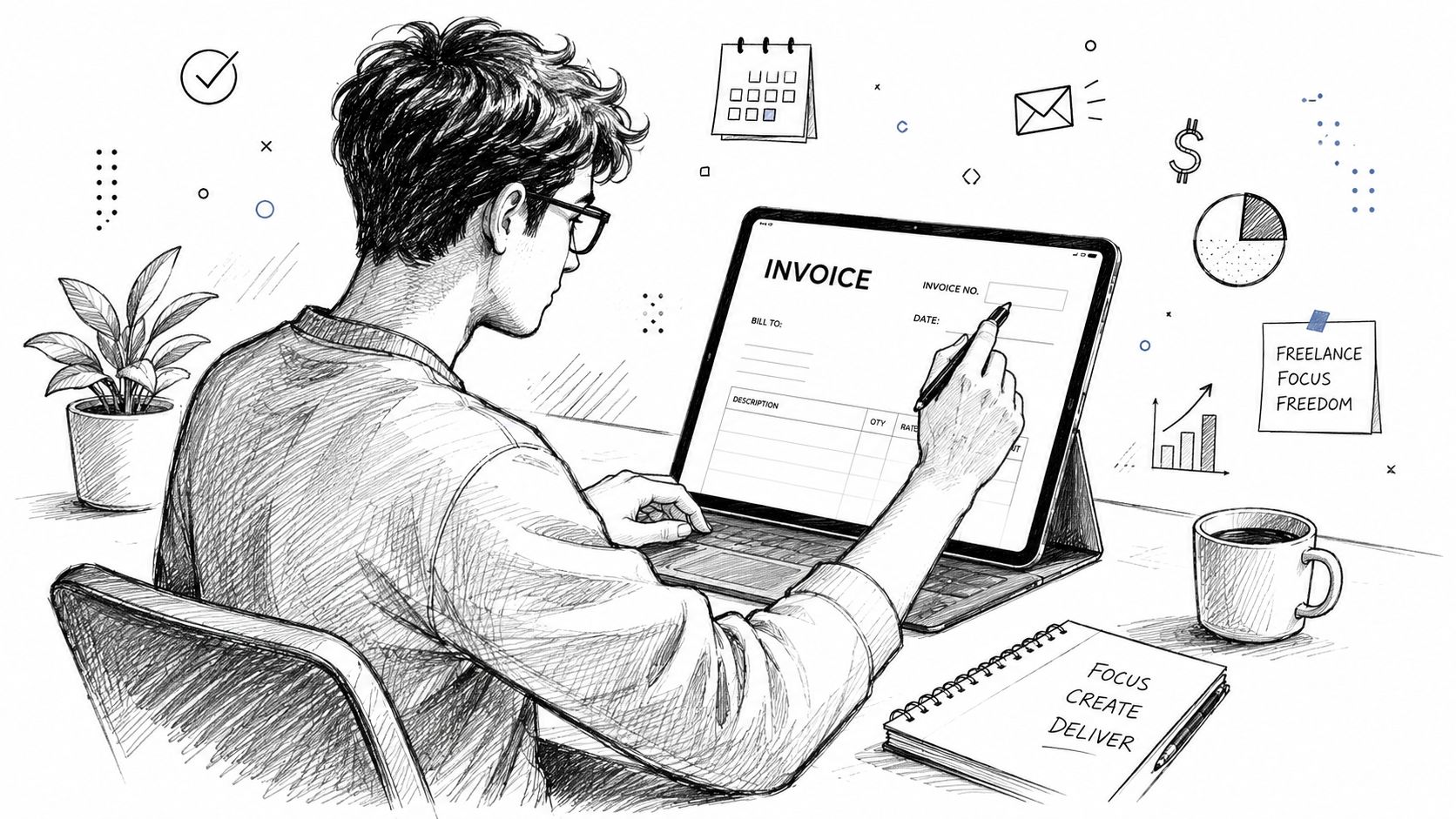
The mistake I see most often is simple, the seller starts typing a total before the document has any structure. That turns an invoice into a loose memo instead of a record a bookkeeper, client, or tax preparer can use. A proper invoice is built as a structured accounting document, with a unique invoice number, issue date, due date, seller and buyer details, itemized lines, subtotal, taxes or VAT, discounts or adjustments, and a final total amount due. HSBC UK's invoice field guidance shows how standardized that field set has become in practice through its 16-field layout, including invoice date, invoice number, purchase order number, supply date, VAT registration number, unit price, and gross and net totals. HSBC UK's invoice field guidance is a useful reference for that order.
Why the order matters
Accounting systems don't read invoices like people do. They parse them as data, which means the field order helps the invoice move cleanly into bookkeeping or accounts payable workflows. A fixed schema also lowers the chance that someone misses a tax field, misreads a due date, or has to hand-key the same details twice.
Practical rule: build the invoice the same way every time. That doesn't just look professional, it makes the document easier to verify, store, and reconcile later.
The best habit is to put structure first and wording second. If your invoice is organized the same way on every job, you give the client's finance team less room to bounce it back for clarification. For a wider view of billing basics, the invoicing and billing guide is a useful companion once the format is under control.
Seller and Buyer Details You Need Up Front
A client can be ready to pay and still stall on processing if the invoice does not identify both sides cleanly. That happens more often than people expect, especially once the job is done and everyone wants the paperwork out the door. The seller block tells the client who issued the charge, and the buyer block tells accounts payable where it belongs in their system.
What goes in the seller block
Start with your legal business name or trading name, then add the address, contact email, and phone number if you use one for billing. If you're registered for tax, include the relevant tax or VAT registration number in the seller section, because buyers often need it for matching and compliance checks. As noted earlier in HSBC UK's invoice field guidance, these fields are part of the standard invoice layout because they support accounting, not presentation.
If you're a sole trader without a company registration number, don't invent one for the form. Use the business name you trade under, and keep the contact details current so the client can route questions without guesswork. For international clients, write the address in a clean, readable format that includes the country name, since overseas billing teams often rely on exact formatting for their records.
What goes in the buyer block
Use the same level of clarity for the client side. Include the company name, the billing contact if you have it, the address, and any reference the client requires, such as a purchase order number or internal reference field. Those details help the buyer's accounts payable team match your invoice to an approved purchase or project record.
If the client has a specific invoicing requirement, follow it exactly. The buyer's accounts team may reject an invoice that looks fine to you if it is missing the field they use to code the expense.
Clear identity fields save more time than polished design ever will.
Invoice Numbers, Issue Dates, and Due Dates
The invoice number should come before you touch the line items. That's not a design preference, it's a control step, because the number is what makes the invoice traceable in your records and in the client's system. A sequential numbering scheme works best when it stays stable across months and year-end, so you don't end up with duplicates or gaps that you can't explain later.
How to handle the dates
Use three different dates with three different jobs. The invoice date is when you issue the document. The due date is when payment is expected. The supply date or service date shows when the work was delivered, which matters when the delivery date and the billing date aren't the same.
Payment terms determine the due date, so if you've agreed on Net 14, Net 30, or due on receipt, write the due date to match that agreement. That gives both sides a defensible expectation and keeps the payment window from turning into a debate. If the client wants a purchase order number or a supply date, place it in the reference section near the header, not buried inside the item lines where it's easy to miss.
For a plain-language refresher on what the invoice fields mean in practice, the invoice dictionary entry is the kind of reference you can keep open while filling in a template.
Why same-day issuance helps
The cleanest operational habit is to send the invoice once the work is delivered, or as close to that moment as possible. Waiting creates room for details to drift, especially on small jobs where the scope still feels fresh to you but not to the client.
A strong numbering and dating routine also protects you in disputes. If someone questions when the work was billed or whether an invoice was ever sent, the sequence and timestamps do most of the talking.
Line Items, Quantities, Rates, and Line Totals
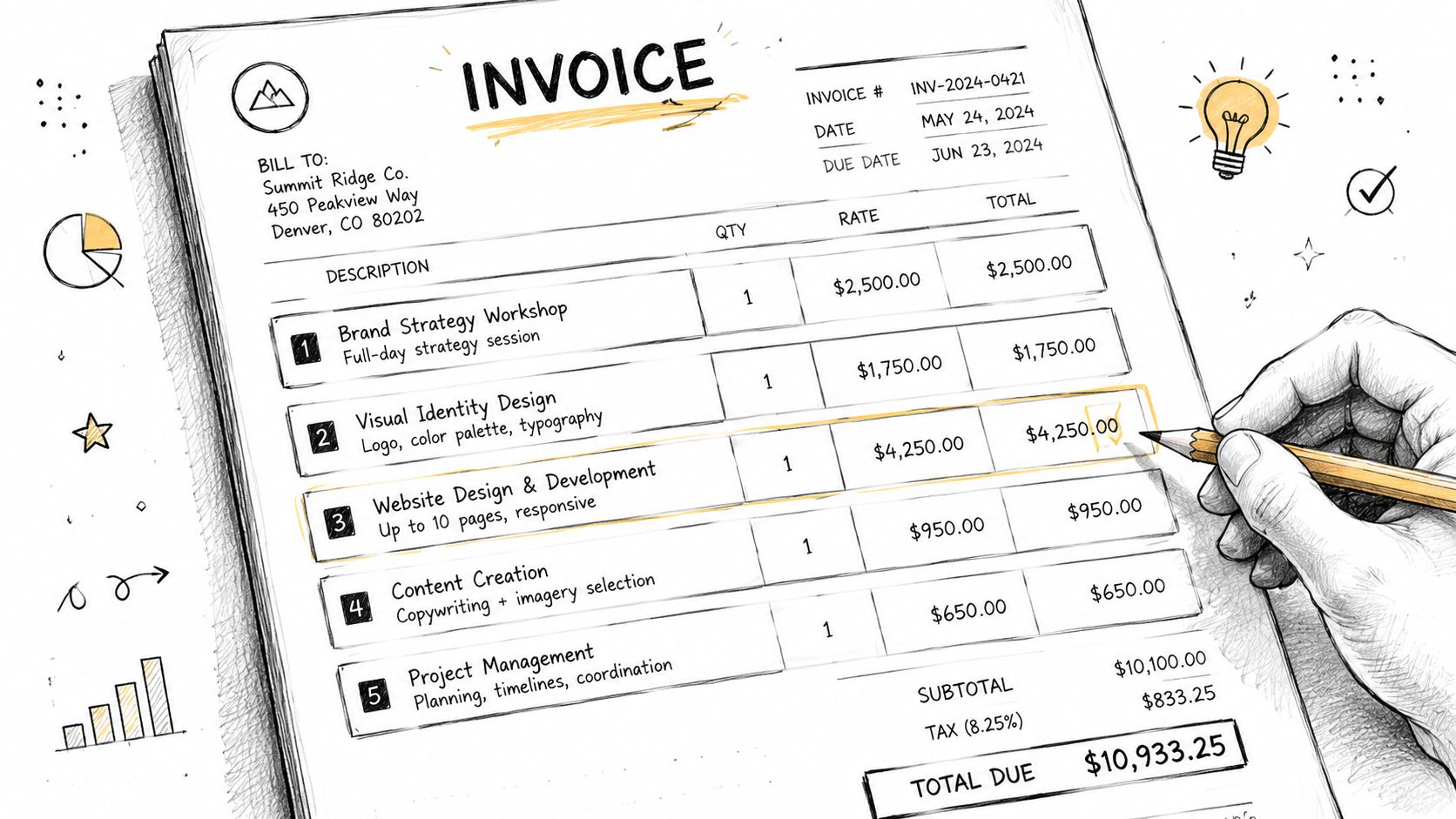
Most verification failures happen here, not on the grand total. A client's AP team can usually spot a vague or bundled line immediately, because it doesn't tell them what was delivered. Treat each line as its own mini-record, with a description, quantity, unit rate, and line total.
Keep one deliverable per row
One service or product should live on one row. Don't combine design work, revisions, and file prep into a single vague entry unless the agreement treated them as one unit. A clean row helps the client verify what they approved and helps you explain the charge if anyone asks later.
For recurring work, the same rule still applies. A monthly retainer can be a single line if the agreement defines it that way, while hourly work should show hours as the quantity and the agreed rate as the unit price. Reimbursable expenses deserve their own line too, because burying them inside overhead makes the invoice harder to audit and harder to reconcile against the original spend.
What a good line description does
A good description lets a stranger approve the invoice without calling you. That means it should name the work in enough detail that the buyer can identify it, but not so much that it turns into a project memo. Keep it specific, factual, and tied to the deliverable.
If the AP clerk can't tell what was sold from the line description, the invoice is too vague.
The math should be easy to verify. Quantity times rate should match the line total, and each line total should roll cleanly into the subtotal before taxes or adjustments are added. When the lines are tidy, the rest of the document gets much easier to trust.
Subtotals, Taxes, Discounts, and the Final Total
Once the line items are entered, the invoice turns into a calculation sheet. The subtotal comes first, then tax treatment, then any discounts or adjustments, and only after that does the total due appear. Keeping each amount separate matters because accounting systems need to see what was charged, what was taxed, and what changed the amount payable.
Show each amount as its own field
Subtotal, taxes, discounts, and the total due should each appear as their own field so accounting systems can parse them cleanly. That structure also makes the invoice easier for a client to review and easier for your own records to reconcile later. Stripe's invoice guidance and Adobe's invoice advice both point to the same practical point, keep the breakdown visible.
Handle tax fields carefully
If your market requires VAT or GST details, those fields belong in the tax section, not in a note buried at the bottom. Include the VAT registration number, VAT-related totals, and any related supply details where they can be read and checked quickly, as noted earlier in the guidance on standard invoice fields. If a line is zero-rated or exempt, show that status plainly instead of folding it into a mixed amount.
Discounts need the same discipline. An early-payment adjustment or a negotiated reduction should sit as a separate line so the subtotal stays visible and the final total still makes sense at a glance. That keeps the audit trail intact and saves anyone reviewing the invoice from having to reconstruct how the number was reached.
A quick accuracy pass catches most problems. Check the subtotal math, verify the tax treatment, and confirm that the final total matches subtotal plus or minus the listed adjustments. At that point, the invoice is ready to send.
A Filled Sample Invoice for a Freelance Engagement
A blank checklist is useful, but a filled example makes the field order real. The sample below shows a freelance design engagement for a small agency client, with one flat-fee deliverable, one hourly block, an early-payment discount, and standard VAT treatment. The names are generic, but the structure is the same one you'd use on an actual job.
| Field | Example Value |
|---|---|
| Seller legal name | Northline Creative Studio |
| Seller address | 14 River Street, Bristol, UK |
| Seller email | [email protected] |
| Seller tax ID | VAT registration number on file |
| Buyer legal name | Alder Bridge Agency Ltd |
| Buyer billing contact | Accounts Payable |
| Buyer address | 88 Market Road, London, UK |
| Invoice number | 2026-014 |
| Invoice date | 12 March 2026 |
| Supply date | 11 March 2026 |
| Due date | 26 March 2026 |
| Purchase order number | PO-44821 |
| Line 1 description | Landing page design concept and revisions |
| Line 1 quantity | 1 |
| Line 1 rate | Flat project fee |
| Line 1 total | Project fee as agreed |
| Line 2 description | Additional revision support |
| Line 2 quantity | Hourly block |
| Line 2 rate | Agreed hourly rate |
| Line 2 total | Based on recorded time |
| Subtotal | Sum of line totals |
| Discount | Early-payment discount |
| Tax | VAT shown separately |
| Total due | Subtotal, less discount, plus VAT |
A good sample invoice doesn't try to be clever. It keeps the wording plain, the numbers traceable, and the references visible enough that the buyer's team can approve it without chasing down context.
The recurring mistakes are usually boring, and that's why they keep happening. Duplicate invoice numbers confuse the record. Missing tax IDs slow compliance checks. Quantities that don't multiply correctly make the invoice look unreliable. Discounts applied in the wrong place can distort the tax base. Vague descriptions trigger follow-up emails. Currency mismatches on cross-border work create payment friction before anyone even clicks pay.
A short pre-send check catches most of that:
- Confirm the invoice number is unique: Don't reuse a number from a past job.
- Check tax fields carefully: Include the registration details the buyer needs.
- Verify every line calculation: Quantity, rate, and line total should agree.
- Keep discounts separate: Apply them in the adjustment field, not inside the line description.
- Match the currency to the agreement: The invoice should say the same currency the client expects.
- Read the document once as a stranger: If a buyer couldn't approve it quickly, tighten the wording.
Sending, Tracking, and How Invoicing Software Changes the Process
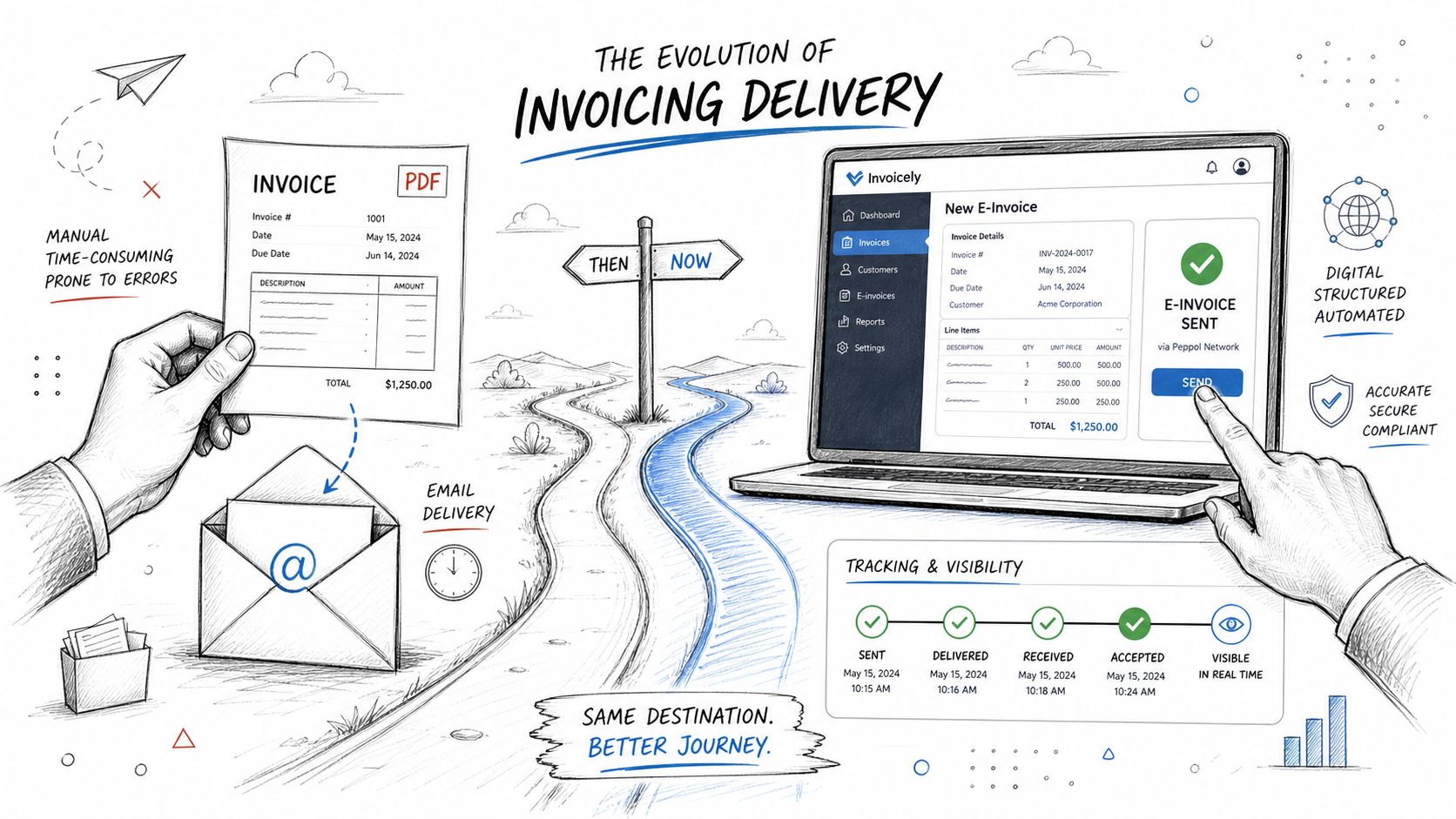
A well-filled invoice still needs clean delivery. For many freelancers, a fixed-format PDF is enough, because it preserves the version you sent and keeps later edits from muddying the record. When a client's AP system can ingest a structured e-invoice directly, that's even better, because the data can move without extra retyping.
What changes when software enters the workflow
The manual steps you just saw, numbering, tax calculation, recurring invoices, reminders, and aging tracking, are exactly the parts that software can automate once invoice volume starts to climb. That doesn't remove the need to understand the fields. It just means the software can do the repetitive math and sequence control while you focus on correct inputs and clean approval data. A practical starting point for evaluating billing workflows is the FreshBooks resource page, especially if you want to compare invoice handling with other finance back-office tasks.
Bank transfer, card, and payment links are all common ways to give clients a path to pay quickly. The specific method matters less than whether the invoice makes the payment route obvious and unambiguous. If the client has to email back asking how to pay, you've already added friction.
What to keep on file
Save the sent copy, the version number if your system uses one, and any follow-up messages about approval or correction. That record is what ties the invoice back to the books later, especially when someone asks why a charge was issued or whether a field changed after delivery. A good recordkeeping habit makes month-end less painful and gives you a clean trail if a client disputes the invoice.
If you're handling invoices by hand, stay strict about the fields and the order. If you're using software, let it automate the boring parts, but keep checking the data like a bookkeeper would. The software can speed up the process, but it can't fix a vague description or a wrong tax field after the fact.
BookkeepDIY helps freelancers and small businesses sort out invoicing, bookkeeping terms, and the tools that support a clean finance workflow. If you want clearer comparisons and practical guidance for the back office, visit BookkeepDIY and keep this invoicing process simple, auditable, and ready to send.



