

If you're doing your own books, bank reconciliation usually becomes urgent at the worst possible moment. You're looking at a bank balance that doesn't match your records, receipts are scattered across email and downloads, and part of your income came through a payment processor instead of straight into the bank. That combination is how small errors turn into late nights.
The good news is that bank reconciliation isn't complicated once you stop treating it like detective work and start treating it like a repeatable system. The freelancers who stay on top of cash usually do the same few things well: they capture receipts early, keep payment channels organized, and reconcile on a schedule instead of waiting until the numbers feel off.
Why Accurate Bank Reconciliation Is Non-Negotiable
A lot of freelancers think reconciliation is just an accounting cleanup task. It isn't. It's the process that tells you whether the cash you think you have is the cash available to run the business.
If you skip it, you make decisions using partial information. You might think a client payment cleared when it's still in transit. You might miss a bank fee, an interest entry, or a duplicate charge. You might also fail to notice that a payment processor deposited less than expected because fees were taken out before the transfer hit your bank.
It protects your cash position
Bank reconciliation forces a side-by-side check between your records and the bank's records. That matters because your books can be wrong, and the bank statement can contain items you haven't recorded yet. The process must be done at least once every month during the closing process, and that monthly timing matters because it helps identify discrepancies early and ensures accounts are reconciled within 30 days of receiving the statement, according to this guidance on monthly bank reconciliation timing.
When you're a freelancer or small business owner, monthly is the minimum. If transactions move quickly, waiting longer just gives mistakes more time to stack up.
Practical rule: Reconcile while the month is still fresh. It's much easier to explain a charge you saw last week than one from months ago.
It catches problems that budgeting won't catch
A budget tells you what should have happened. A reconciliation shows what did happen.
That difference matters when you're handling:
- Client payments that arrive through bank transfer, card processor, or wallet account
- Subscription charges that renew automatically in the background
- Refunds and reversals that don't match the original timing
- Mistyped entries that make your books look right at a glance but wrong in total
It supports control, not just neat records
A proper reconciliation isn't finished when the preparer thinks it looks close enough. In a strong internal control process, the ending balances need to agree cleanly, and a second person reviews and approves the reconciliation. That review step creates accountability and helps prevent errors and fraud.
For a solo freelancer, you may not have a separate reviewer. But you can still borrow the discipline. Finish the reconciliation, leave it alone, then check it again with fresh eyes before you post adjustments.
Gather Your Financial Documents for a Smooth Process
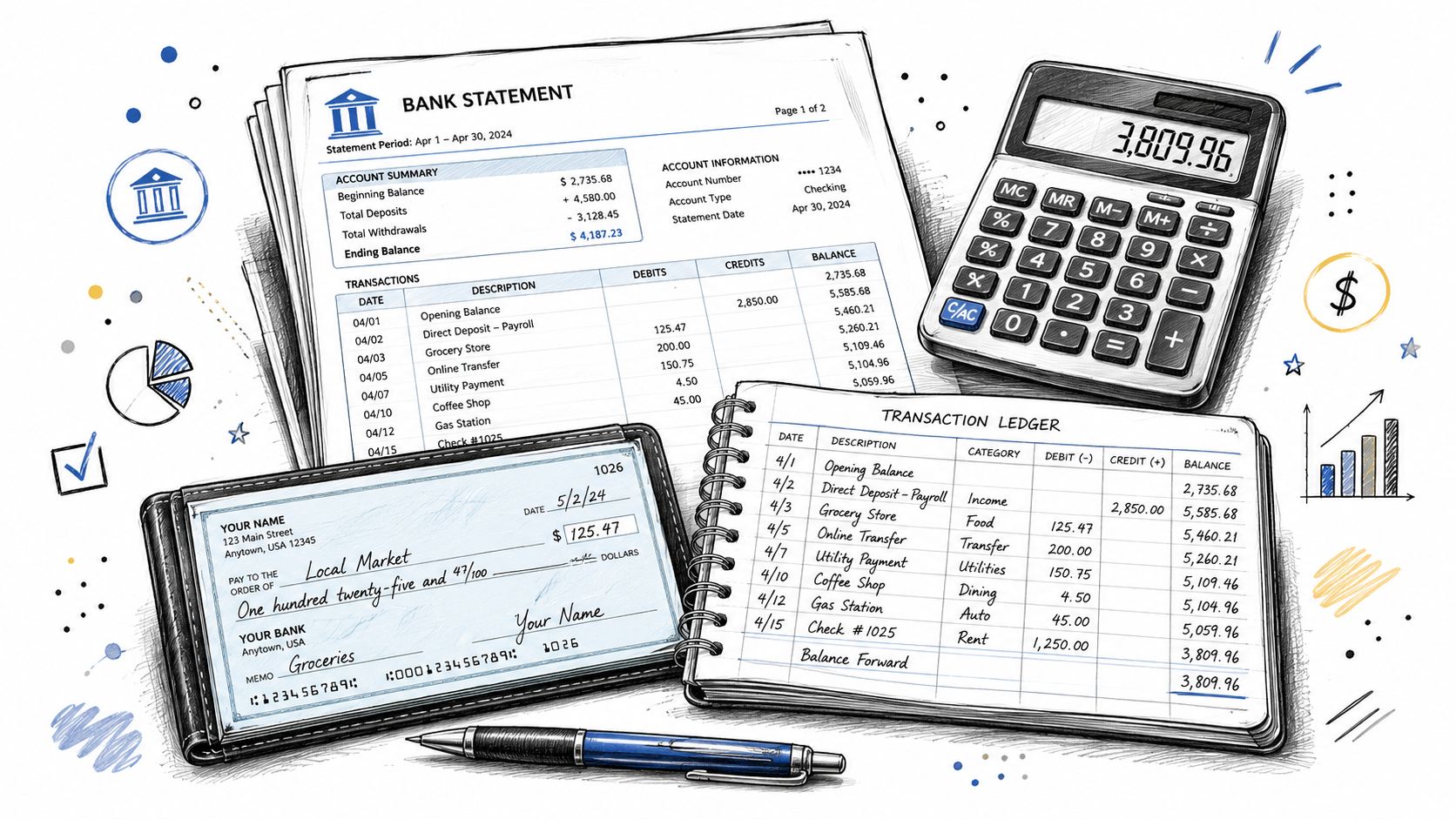
The first step I always take is simple: organize receipts, invoices, and bank statements before touching the numbers. Most reconciliation problems aren't math problems. They're document problems.
If your records live across inboxes, downloads, screenshots, and payment apps, the work drags. A clear taxonomy fixes that. I prefer a digital-first workspace where receipts are stored as soon as they come in, receipt emails are auto-forwarded, and everything lands in one place instead of waiting for month end.
What to pull before you start
Have these ready on one screen or in one folder:
- Bank statement: The statement for the exact period you're reconciling.
- Cash ledger or bookkeeping records: Your internal record of deposits, withdrawals, transfers, fees, and adjustments.
- Receipts and invoices: Support for expenses and customer payments.
- Payment platform statements: If you use processors or wallets, include those records too.
- Prior reconciliation: If you reconcile monthly, last month's ending position helps you spot carryover items fast.
Most traditional walkthroughs act like the bank account is the whole story. It isn't. Most reconciliation guides ignore PayPal and Stripe workflows, even though 68% of small businesses use at least two digital payment platforms and only 12% of guides cover them. That's why freelancers often end up with deposits in the bank that don't tie neatly to sales records.
Set up your document flow once
This is the most impactful fix I know. Don't wait until reconciliation day to gather paperwork. Build a receipt capture habit into the month.
A simple setup looks like this:
- Forward receipt emails automatically: Route vendor receipts and purchase confirmations into one bookkeeping inbox or organizer.
- Store documents with clear names: Keep vendor, date, and amount easy to scan.
- Save digital copies immediately: Paper receipts fade, get lost, or never make it to your desk.
- Use one organizer consistently: I rely on ReceiptsAI because it speeds up sorting and gives the documents a home before reconciliation starts.
If you're building that workflow now, a good place to start is this guide to receipt OCR tools for bookkeeping workflows.
Clean inputs make reconciliation faster. Messy inputs make every transaction look suspicious.
Matching Your Books to the Bank Statement
This is the part people overcomplicate. The job is straightforward: match every transaction by amount, date, and description, identify timing differences, account for bank-only items, fix errors, and confirm the adjusted balances are equal. That's the core method described in this step-by-step bank statement reconciliation guide.
Start with the biggest transactions first
Don't begin at line one and crawl through the statement in order. Start with the 10 largest purchases and the largest deposits. Large items affect cash the most, and they're usually the fastest way to expose a bad posting, a missing invoice, or an account mapping issue.
That approach is practical, not theoretical. If a large software renewal, contractor payment, or client deposit is wrong, you'll see the impact quickly. Once the large items are correct, the smaller routine transactions are easier to clear.
Match deposits carefully
For each deposit on the bank statement, find the matching item in your books and compare:
- Amount
- Date
- Description or reference
A matching amount with the wrong date may still be legitimate. A client paid at month end, you recorded it immediately, and the bank posted it later. That's usually a deposit in transit, which gets added to the bank balance during reconciliation because it's in your books but not yet reflected by the bank.
For freelancers using multiple payment channels, difficulties often arise. A processor payout often combines several customer payments and subtracts fees before the bank receives the net amount. If you only compare the bank deposit to a single invoice, it won't match. You have to trace the payout back to the payment platform activity, then map the fee separately in the books.
Check withdrawals and payments
Outgoing transactions need the same treatment. Match the amount, date, and description for checks, debit entries, transfers, and card payments.
If a payment is in your books but not on the bank statement yet, that's usually an outstanding check or an uncleared payment. It gets deducted from the bank balance in the reconciliation because your records reflect it but the bank doesn't yet.
Review this group closely:
- Recurring expenses: Easy to overlook when they post under abbreviated bank descriptions.
- Transfers: Often recorded inconsistently between accounts.
- Manual entries: More likely to contain typing mistakes.
- Payment processor fees: These may never show up as separate charges in the bank if they're netted against payouts.
Look for bank-only items
The bank statement often includes activity your books don't yet show. Common examples include:
- Bank fees
- Interest earned
- Debit or credit memoranda
- NSF-related charges or other service charges
These don't get fixed by adjusting the bank side. They require updates to your books.
If the bank knows about a transaction and your ledger doesn't, your ledger is the one that needs to change.
This is one reason reconciliation does more than "check accuracy." It also tells you which entries still need to be recorded.
Adjust both sides, then compare
A clean reconciliation works in two lanes:
| Side | Typical adjustments |
|---|---|
| Bank balance side | Add deposits in transit, subtract outstanding checks |
| Book balance side | Record fees, interest, memos, and corrections to errors |
If you've never done this before, think of it as bringing both records to the same reality from opposite directions. The bank side gets adjusted for timing differences. The book side gets adjusted for missing or incorrect entries.
Once you've worked through the unmatched items, compare the adjusted balances. They must agree exactly.
For a more hands-on walkthrough of automating parts of this process, this overview of bank feeds and reconciliation workflows is worth reading.
Document what cleared and what didn't
Don't finish by saying "it matches" and moving on. Save a record of:
- the statement used
- the reconciling items you identified
- the corrections you posted
- any items that will clear next month
Archive it in the same digital workspace as your receipts and support. That habit pays off later when you need to answer a tax question, explain a charge, or retrace a deposit from a processor payout to the bank.
Putting It All Together A Practical Example
Here's a simple freelancer scenario. A designer ends the month with a bank statement and a cash ledger that don't line up. After reviewing the account, they find one deposit recorded in the books that hasn't reached the bank yet, one payment that hasn't cleared yet, a bank fee, and interest earned.
The goal is simple: adjust both sides until they arrive at the same ending figure. A reconciliation is successful only when the final adjusted balances match and the unreconciled amount is exactly $0. If they don't, the reconciler has to find the root cause, including simple transposition errors such as recording $54 instead of $45, as explained in this internal control guide to bank reconciliation.
Sample Bank Reconciliation Worksheet
| Bank Balance Side | Amount | Book Balance Side | Amount |
|---|---|---|---|
| Ending balance per bank statement | [statement ending balance] | Ending cash balance per books | [book ending balance] |
| Add deposit in transit | [add amount] | Add interest earned not yet recorded | [add amount] |
| Less outstanding check | [subtract amount] | Less bank fee not yet recorded | [subtract amount] |
| Adjusted bank balance | [final adjusted balance] | Adjusted book balance | [final adjusted balance] |
The worksheet matters because it separates timing differences from booking omissions. The deposit in transit and outstanding check don't mean anyone made a mistake. They just cleared in different periods. The interest and fee do require updates to the books, because the bank already recorded them and your ledger hasn't.
What the journal entry usually looks like
After you've identified the bank-only items, post the missing entries in your books. In plain language, that usually means:
- record the bank fee as an expense that reduces cash
- record the interest earned as income that increases cash
That's enough to bring the book side into line, assuming the rest of the transactions were already posted correctly.
A worksheet proves the balances match. The journal entry makes your books reflect that result.
If your adjusted balances still don't match, stop there and investigate. Don't force the reconciliation closed. A difference that looks small is often a clue pointing to a duplicate entry, a missing transaction, or a number typed backward.
What to Do When the Numbers Don't Match
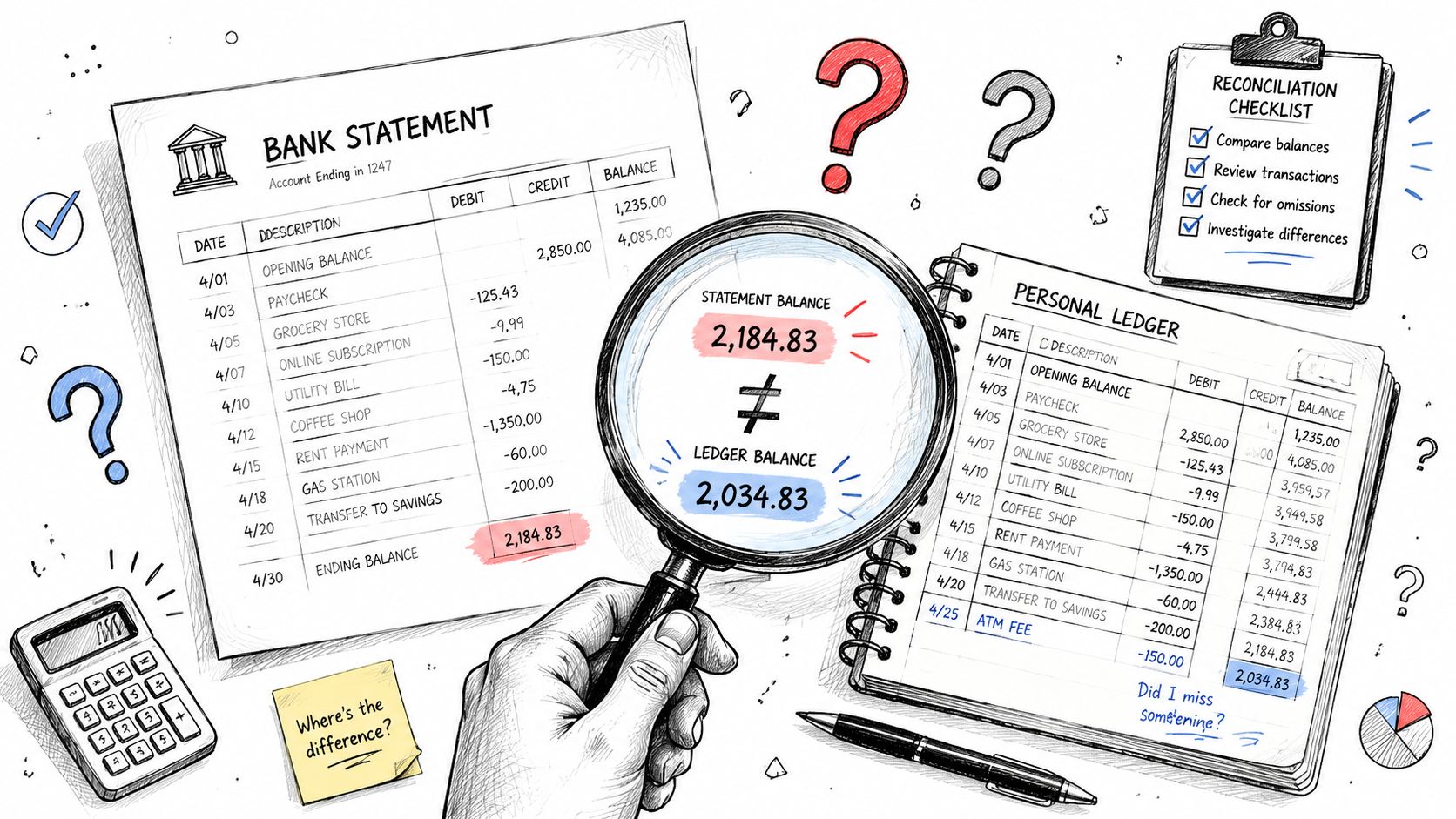
When a reconciliation fails, the usual approach is to start scrolling the statement randomly and hoping something jumps out. That rarely works. You need a short diagnostic checklist.
The first question is whether you're looking at a timing item, a booking mistake, or a duplicate. Timing items belong on the reconciliation. Mistakes and duplicates need to be fixed.
Check the usual suspects in this order
- Transposition errors: You entered the right numbers in the wrong order. A classic example is posting 54 instead of 45.
- Missed transactions: A fee, refund, or small payment never made it into the books.
- Duplicate entries: The same expense or debit was recorded twice.
- Wrong account mapping: The transaction exists, but it landed in the wrong place.
- Uncleared items carried too long: Old checks or payments may no longer be valid and need review.
Start with the unmatched items that have the biggest effect on the balance. Then move to the small ones. If the difference is stubborn, compare your unreconciled transactions against your receipt file. Missing support often exposes the problem faster than staring at totals.
Use software where manual review is weak
The biggest discrepancy I usually catch isn't some dramatic fraud signal. It's duplication.
Software with duplicate detection is especially effective for catching transactions that appear more than once, including uncleared checks and duplicate debit entries that are easy to miss in manual review. That's exactly the kind of issue that can waste an hour during a line-by-line review.
When I find a significant mismatch, duplicate detection is the first thing I trust. It's faster than eyeballing exported rows, and it doesn't get tired.
Manual review is good at context. Software is better at spotting repetition.
Know when the bank is wrong
Most reconciliation issues come from your books, not the bank. But bank errors do happen. If you've traced the transaction, confirmed your support, and the problem sits on the bank statement side, isolate that line and contact the bank with the exact detail.
Don't bury a suspected bank error inside a vague reconciliation note. Keep the transaction reference, amount, date, and your support together so you can resolve it quickly.
Manual Spreadsheets vs Accounting Software
A spreadsheet can absolutely work if your volume is low and your records are clean. It's flexible, familiar, and cheap. For a freelancer with one bank account, predictable expenses, and strong receipt habits, that may be enough.
The trade-off is manual effort. Spreadsheets don't pull documents together for you, don't flag duplicates automatically, and don't make multi-channel payment activity easier to trace. The moment your workflow includes processor payouts, forwarded receipts, bank feeds, and recurring adjustments, a manual file starts depending too much on memory.
When a spreadsheet is still fine
A manual setup is workable if:
- Transaction volume is modest
- You reconcile on schedule
- You keep receipts organized from the start
- You don't mind checking details line by line
When software earns its keep
Software becomes worth it when the time savings and error prevention outweigh the subscription cost. That's usually the point where you need:
- Digital receipt capture and storage
- Cleaner transaction matching
- Duplicate detection
- A faster month-end routine
- A searchable audit trail
For day-to-day speed, I rely on ReceiptsAI because organizing the workspace early is what prevents downstream reconciliation errors. If you're also evaluating broader bookkeeping systems, this page on QuickBooks Online for small business bookkeeping gives you a practical starting point.
The central question isn't whether software costs money. It's whether you want to spend that cost in dollars or in extra hours chasing avoidable discrepancies every month.
BookkeepDIY helps freelancers and small businesses sort through bookkeeping software without the usual vendor noise. If you're choosing tools for receipts, reconciliation, invoicing, or month-end cleanup, visit BookkeepDIY for plain-English guides and a curated software directory built for finance back-office work.



