

You hire someone who lives in another state. Or a long-time employee moves without telling you until after the fact. Payroll day arrives, and what used to feel routine suddenly turns into a string of anxious questions.
Which state gets withholding? Do you need a new tax account first? Is your payroll system ready, or are you already late?
That's where many small businesses get tripped up. They assume payroll tax compliance starts when they run payroll. Often, it starts earlier, when a worker creates tax obligations in a new state and the business needs to register before the first paycheck goes out.
Demystifying Payroll Tax Compliance Software
Payroll tax compliance software is best understood as a GPS for payroll taxes. A basic calculator can tell you distance. A GPS tells you where to go, adjusts when roads change, and records the trip. Good payroll tax compliance software does the same kind of work for payroll.
It helps calculate the right taxes, applies changing rules, and supports the forms and filings that follow. That's a very different job from a spreadsheet or a simple paycheck calculator.
What the software actually does
Primarily, payroll tax compliance software helps a business do three things well:
- Calculate correctly: It figures out what to withhold based on employee details, work location, and tax rules.
- Stay current: It updates when regulations change so you're not relying on old rates or old forms.
- Document the process: It supports filings, payment records, and the audit trail you need when questions come up later.
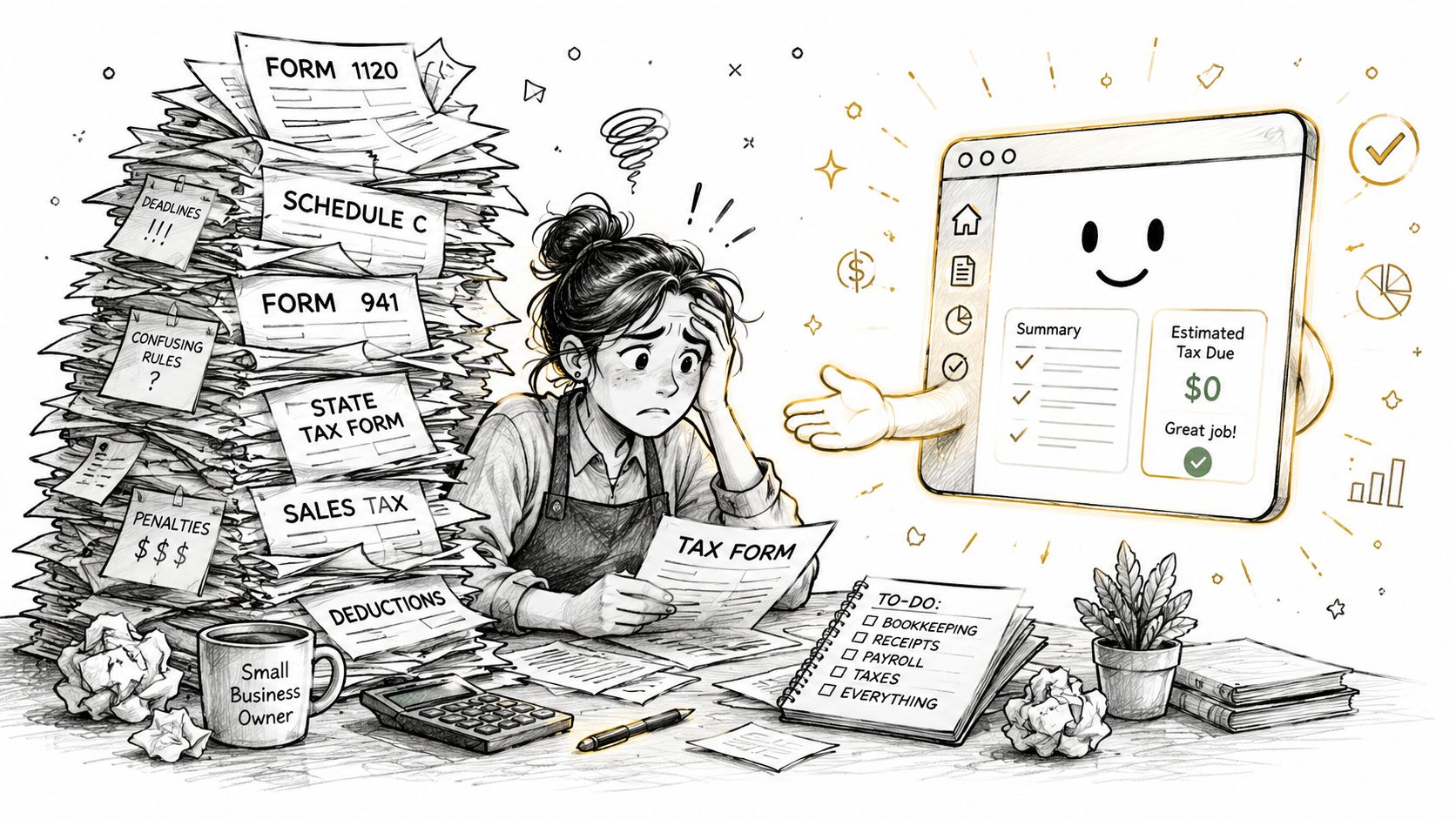
For a small business owner, that matters because payroll mistakes usually aren't just math mistakes. They're location mistakes, setup mistakes, deadline mistakes, and form mistakes.
Payroll compliance problems rarely start with a bad formula. They usually start with missing context, like the wrong state, the wrong registration, or outdated tax settings.
That helps explain why demand for these systems keeps growing. The global cloud-based payroll software market is projected to grow from US$14.9 billion in 2026 to US$28.2 billion by 2033, driven by employers' need to automate complex payroll and tax workflows, according to Persistence Market Research's cloud-based payroll software market analysis.
What it is not
It's not a substitute for business judgment. You still need to know where people are working and how they're classified.
It's also not just a “run payroll” button. If you want a plain-language primer on the broader payroll process, this payroll guide is a helpful companion. The software handles the mechanics. You still set the rules it works from.
Unpacking Core Software Features and Capabilities
When you evaluate payroll tax compliance software, it helps to think in layers. First, can it calculate? Second, can it file? Third, can it handle real-world messiness, especially when employees don't all sit in one office?
Automatic withholding and tax calculations
This is the feature most owners think about first. The software uses employee pay, filing details, and jurisdiction rules to calculate withholding and employer obligations.
That sounds simple until you have an employee who lives in one place, works in another, or changes location mid-year. A weak system makes you patch those exceptions manually. A strong system handles them as part of the normal workflow.
Filing and payment support
Calculation is only half the job. Once taxes are withheld, someone has to file returns and submit payments to the right agencies on time.
Good software supports those filings electronically and keeps records of what was filed, when, and for which agency. That record matters when a notice arrives months later and you need to confirm what happened.
Year-end forms and worker types
Most small businesses need help with year-end documents, especially when they manage a mix of employees and contractors. The software should support W-2 employees and 1099 contractors without forcing you into separate, disconnected processes.
It should also make corrections manageable. Year-end work gets stressful when a business has to dig through old exports, emails, and spreadsheets to fix one missing detail.
Multi-state and local tax support
Many systems sound impressive in marketing copy but disappoint in practice. Real payroll tax compliance software needs to understand where work is being performed and which tax rules apply there.
According to Symmetry's explanation of payroll tax compliance infrastructure, this depends on backend components such as a rooftop-level geocoding engine and real-time tax table updates so the system can determine precise multi-state nexus and reciprocity logic and calculate withholdings under the correct jurisdictional laws.
In plain English, that means the software shouldn't guess based on a ZIP code alone if a more exact location matters. It should use accurate location logic and current tax data so the right state and local rules apply.
Practical rule: If your team works across state lines, ask how the system decides jurisdiction. “We support multi-state payroll” is not a complete answer.
Integrations and data flow
Payroll errors often begin outside payroll. A wrong address in HR, a missing hire date, or an outdated compensation field can roll straight into tax mistakes.
That's why integration matters. Look for software that connects cleanly with your employee records and accounting workflow so you aren't retyping key details in multiple places.
Security and controlled access
Payroll contains some of your most sensitive business data. Even a small company needs role-based access, secure document handling, and a clear permissions structure.
You don't want every manager changing tax settings. You do want the right people to view reports, approve runs, and help resolve issues without exposing more data than necessary.
Navigating Complex Tax Regulations and Reporting
Manual payroll used to feel manageable for many small businesses. One state, a handful of employees, and a bookkeeper who knew the routine could keep things moving. That environment is less forgiving now.
In 2026, payroll teams face sharply intensified regulatory pressure as governments tighten reporting rules and adopt new frameworks, creating a more layered compliance environment that calls for automation, according to Thomson Reuters' guidance on strengthening tax compliance in 2026.
Why the old manual approach breaks down
The challenge isn't just more forms. It's more moving parts at the same time.
A small business may need to track federal withholding, state withholding, local tax rules, unemployment accounts, deposit schedules, and digital reporting requirements. Add remote work, and the number of judgment calls grows fast.
Here's where owners get stuck:
- Location changes: An employee relocates, but payroll settings don't change right away.
- Agency mismatch: Taxes are calculated, but the business hasn't registered with the state agency yet.
- Deadline confusion: A payment schedule changes, and no one notices until a notice arrives.
- Form inconsistency: Employee records and tax forms don't match because data lives in too many places.
The cost of trying to “keep up manually”
Even if you're careful, manual compliance work invites timing problems. A spreadsheet doesn't know when a rule changed. A checklist won't remind you that a new state requires setup before the first payroll. A calendar can't verify that your withholding logic is correct.
If you want a broader overview of how businesses manage regulatory obligations, this tax compliance resource gives useful context.
Compliance pressure hits small businesses hardest when payroll depends on memory. Good software turns memory-dependent work into process-dependent work.
That's why payroll tax compliance software has become less of a convenience tool and more of a control system. It doesn't remove responsibility, but it does reduce the number of places where a human has to notice every change before something goes wrong.
Your Implementation and Workflow Checklist
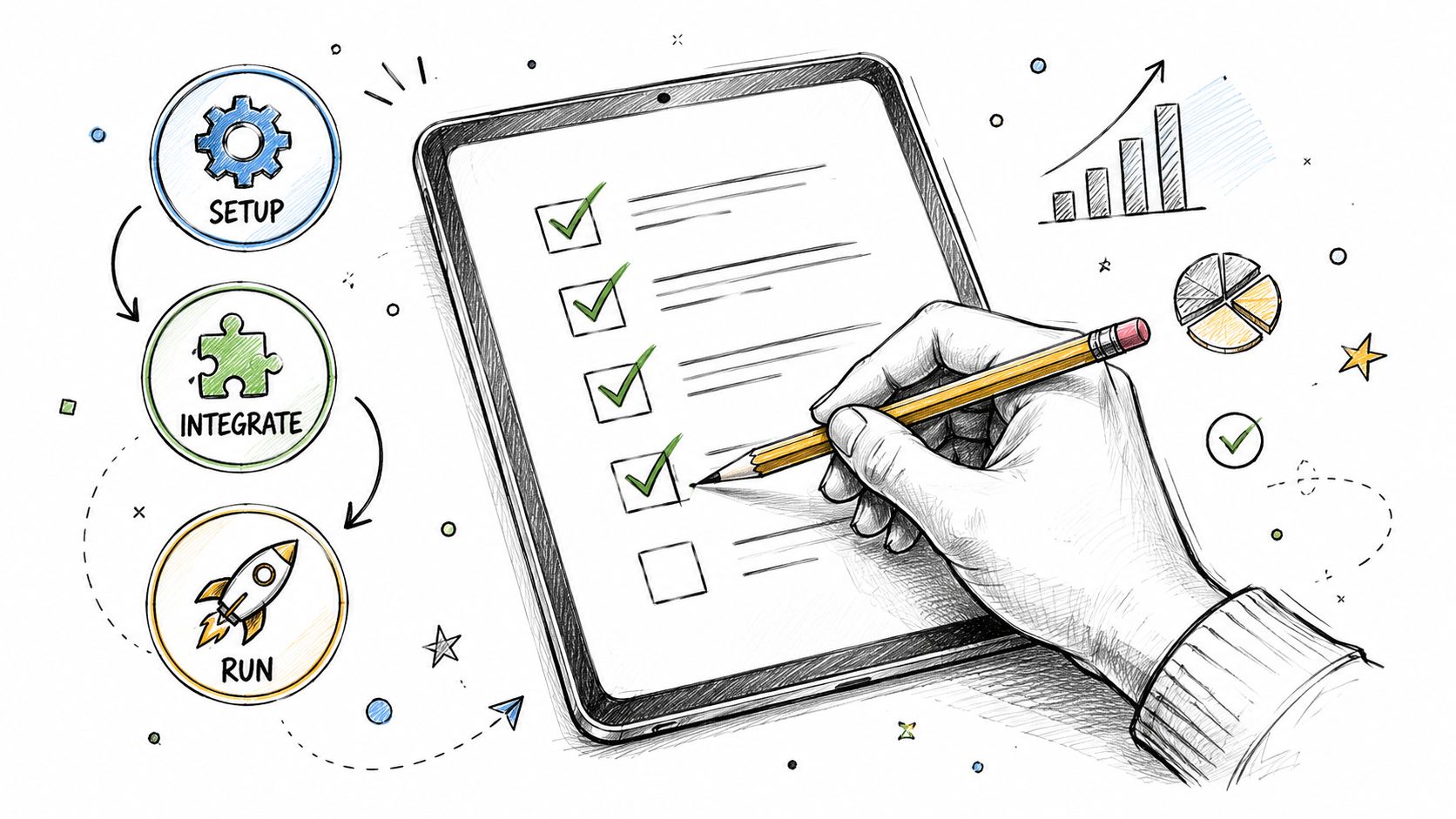
Buying software is the easy part. Setting it up correctly is where compliance starts to become real.
A smart rollout is less about speed and more about sequence. If you load bad or incomplete data into the system, the software can process it very efficiently and still give you the wrong result.
Before setup begins
Gather the documents and decisions the system needs to work from.
Business identifiers
Your federal employer information, state tax account details, and any existing payroll agency credentials should be in one place before setup starts.Employee tax details
Make sure you have current employee addresses, withholding forms, start dates, pay rates, and work locations. If an employee works remotely, confirm where the work is performed.Contractor records
Keep contractor profiles separate from employee records. Mixing the two creates confusion fast, especially at year-end.
During setup
You build the rules into the system at this stage.
Enter company and tax settings carefully
Check legal name, entity structure, filing frequencies, and agency account details. These fields don't feel exciting, but small setup errors here can create filing problems later.
If your company operates in more than one state, don't assume the software will know which registrations already exist. Confirm each state account and effective date.
Map employee data cleanly
Standardize job titles, departments, earnings types, and work locations before importing data. Cleanup is much easier before the first payroll run than after several periods have been processed.
According to GetSphere's overview of payroll tax compliance software, the software can automate the entire tax lifecycle by integrating with HRIS and ERP systems to sync employee data, reducing compliance mistakes and preventing costly penalties and late submissions through real-time synchronization of liabilities with agencies.
Connect your other systems
If your accounting, HR, or time-tracking records stay separate, decide which system is the source of truth for each field. One owner should not update addresses in one system while a manager updates them somewhere else.
Before your first live payroll
Run a test payroll. Not because you expect disaster, but because payroll is easier to fix before money and filings go out.
Use this quick review list:
- Check work locations: Confirm each employee is tied to the correct state and local jurisdiction.
- Review tax setup: Compare withholding outputs against what you expect for a few sample employees.
- Inspect deductions: Make sure benefits, garnishments, and post-tax items appear correctly.
- Confirm approvals: Decide who reviews payroll before submission.
- Save reports: Keep a pre-run report and a post-run report for your records.
Treat the first payroll like a dress rehearsal with real stakes. A test run catches setup errors when they're still cheap to fix.
After launch
Schedule a short review after the first few payroll cycles. Look for recurring edits, rejected filings, or manual overrides. If staff members keep fixing the same issue every pay period, the setup still needs work.
Evaluating Software and Spotting Red Flags
Most payroll software demos focus on what happens after setup. They show clean dashboards, automatic calculations, and tidy filing screens. That's useful, but it misses the place where many small businesses get burned first.
The biggest blind spot is state tax registration support, sometimes called nexus registration support. If you hire someone in a new state, you may need to register with that state's tax authorities before running payroll there. Many systems help calculate taxes after that point. Fewer help you get legally ready beforehand.
The overlooked question that matters most
A vendor might say it supports multi-state payroll. That sounds reassuring until you ask a basic follow-up question:
What happens if I hire my first employee in a state where I'm not registered yet?
According to My HR Professionals' discussion of multi-state payroll compliance, this is a key underserved gap. Vendors often highlight tax table updates, but few integrate proactive registration workflows, which can leave businesses exposed to penalties even while using payroll software.
That matters because software can only calculate within the structure you've set up. If your business doesn't have the needed state account in place, the “automation” may start too late.
What to ask before you buy
Use questions that force specifics, not polished generalities.
- Ask about first-state setup versus next-state setup: A system may work well in your home state and still leave you on your own when you expand.
- Ask who helps with registration: Is there guided workflow, documentation support, partner assistance, or just a help article?
- Ask how location changes are handled: If an employee moves, can the system flag a possible registration need?
- Ask what happens before payroll is approved: Does the system warn you about missing tax accounts or just let you proceed?
- Ask about support ownership: When a compliance issue appears, will support explain the next step clearly or merely point to settings?
Good payroll software should help you avoid preventable mistakes before payroll runs, not just process them neatly afterward.
Evaluation Criteria and Red Flags
| Criteria | What to Look For | Red Flag |
|---|---|---|
| Multi-state readiness | Clear workflow for adding employees in new states and confirming tax setup | “Supports all states” with no explanation of onboarding steps |
| Nexus registration help | Guidance, checklists, or assisted registration options before first payroll in a new state | Vendor assumes you'll handle registration elsewhere without support |
| Tax calculation logic | Clear explanation of how jurisdiction and reciprocity rules are applied | Vague claims about automation with no detail on location handling |
| Filing support | Electronic filings, payment workflows, and visible filing records | You still need to manage forms manually outside the system |
| Integrations | Reliable sync with HR, time, and accounting records | Repeated manual re-entry of employee data |
| Usability | Clear review screens and understandable error messages | Important settings are hidden behind technical labels |
| Support quality | Fast access to people who can explain compliance setup in plain language | Support only answers technical navigation questions |
| Pricing clarity | Obvious billing model and add-on boundaries | Core compliance tasks hidden behind surprise fees |
A small business doesn't need the fanciest system. It needs one that closes the dangerous gaps. If a vendor can't explain how it helps with state registration before payroll begins, treat that as a serious warning.
How to Shortlist Vendors with a Software Directory
Research gets messy when every vendor says roughly the same thing. A directory helps by narrowing the field before you spend time on demos and calls.
Start with your actual needs, not a long wish list. If you have employees in multiple states, need filing support, and want clean setup guidance, those become your first filters. You're not looking for “best overall.” You're looking for “best fit for the way this business runs.”
A practical way to narrow the list
Use a directory in this order:
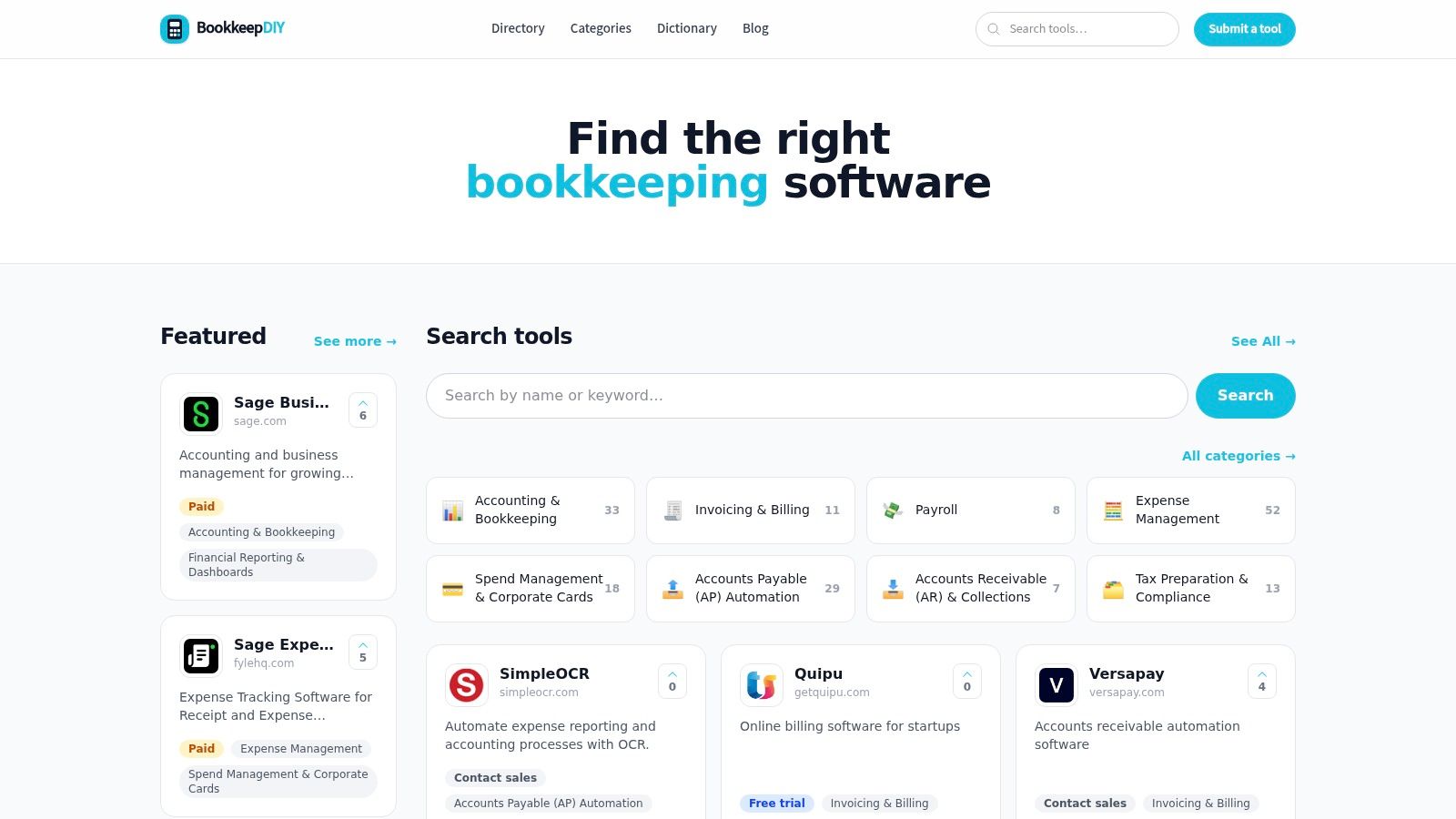
Filter by category first
Stay inside payroll-related listings so you're not sorting through unrelated finance tools.Scan pricing labels
Labels such as paid, free trial, freemium, or contact sales help you avoid wasting time on options that don't match your buying process.Read the short summaries
Concise descriptions are useful because they reveal whether a tool focuses on payroll processing, compliance support, or a broader back-office workflow.Open official pages selectively
Once you have a short list, visit the official vendor pages for deeper research and bring your questions about nexus registration, setup, and support.
If you want to see what a curated listing page looks like in practice, this payroll software listing example shows how a directory can present summaries, pricing labels, and official links in a format that's faster to compare than jumping between random search results.
Keep your shortlist small
Three to five serious options is usually enough. Beyond that, most small businesses stop comparing and start collecting tabs.
A short list works best when each option has already passed your essential requirements, especially multi-state support, registration guidance, and usable support.
Common Questions About Payroll Tax Software
Does payroll tax compliance software replace an accountant
No. The software handles repeatable tasks well, such as calculations, filings, and records. An accountant still helps with judgment calls, cleanup, registrations, notices, and unusual situations.
Think of the software as the operating system and the accountant as the advisor you call when the facts don't fit the normal pattern.
Can it handle both employees and contractors
Many systems can, but you should verify how they separate worker types, tax treatment, and year-end forms. The key question isn't just “can it do both?” It's “does it keep those workflows distinct enough to avoid mistakes?”
Is switching providers difficult
It can be, especially mid-year. The hardest part is usually data cleanup, not data export.
Before you switch, confirm what historical payroll records, tax filings, employee details, and account numbers need to come over. A messy migration usually starts with incomplete records from the old system.
What pricing structure should I expect
Pricing varies. Some systems charge a base fee plus a per-worker amount. Others separate payroll processing from tax filing or support features.
The safest approach is to ask what is included in standard payroll, what counts as an add-on, and whether multi-state support or year-end filings cost extra.
Will software solve the state registration problem for me
Sometimes partly. Often not fully.
That's why this issue deserves special attention. Many systems are built to process payroll after your registrations exist. Fewer help you identify, start, or complete the registration step itself. If your business may hire across state lines, ask that question early and get the answer in writing.
If you're comparing payroll tax compliance software and want a simpler way to sort through options, BookkeepDIY can help. It combines plain-English educational content with a curated directory of bookkeeping and finance tools, so you can narrow your shortlist, decode vendor language, and choose software with more confidence.



