

You made a sale to a customer in another state. Fantastic. Then the second thought hits: do you need to collect sales tax there, register there, file there, and keep doing it every month after that?
That's the moment when sales tax stops feeling like “something my accountant handles later” and starts feeling like an operations problem. If you sell products online, offer taxable services, run a small SaaS company, or invoice customers across state lines, sales tax can get messy fast. The core issue is nexus. After South Dakota v. Wayfair changed the rules for remote sellers, many businesses had to start watching where sales happen, not just where the business is physically located, as noted in this tax compliance software market overview.
The good news is that you don't need enterprise software just because tax rules are complicated. Some businesses need a lightweight setup that tracks one state well. Others need a true tax engine that can handle multiple channels, exemptions, and different treatment for digital products.
This guide is built for the non-accountant. It uses a jobs-to-be-done lens. If you're a freelancer, you probably need clarity and simple tracking. If you run an e-commerce store, you need reliable checkout tax and filing support. If you sell services or software, you need help with classification, exemptions, and state-by-state differences. The list below focuses on what each tool is good at, where it can frustrate you, and who should skip it.
1. Avalara
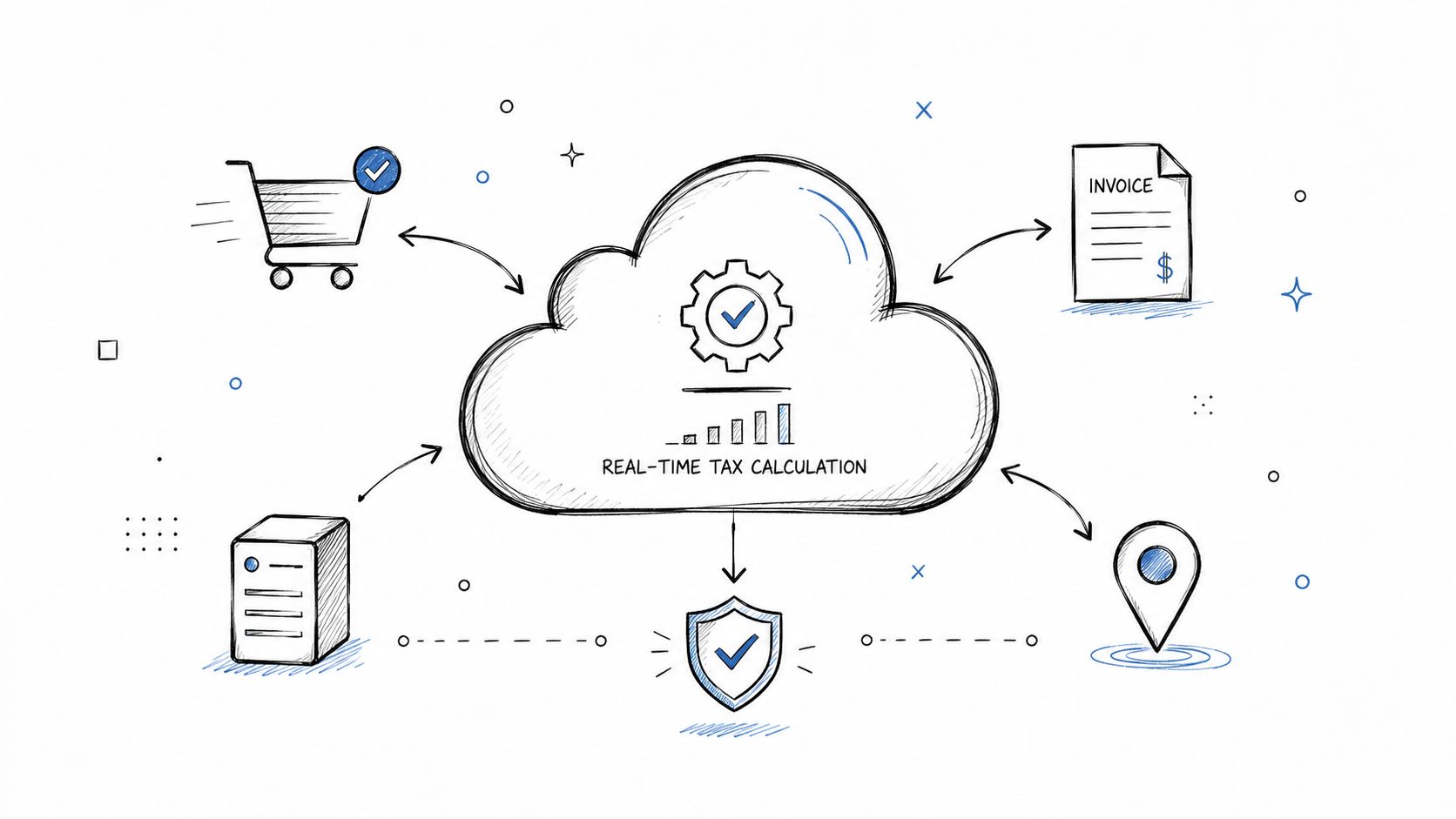
Avalara is the tool I think of when a business has moved beyond “I just need to know what rate to charge” and into “I need this to work across several systems without babysitting it.” It's a cloud-based platform built for tax calculation, filing, and reporting across many jurisdictions. That matters because the U.S. alone has over 11,000 state and local tax authorities, which is one reason the market for sales tax and VAT compliance software is projected to grow strongly, according to Business Research Insights on the sales tax and VAT compliance software market.
For a growing e-commerce store, Avalara often makes sense when you're selling through more than one channel and need one tax brain behind all of them. For a SaaS company, it's useful when product taxability changes by state and your billing stack isn't simple anymore.
Where Avalara fits best
Avalara fits businesses with complexity, not just volume.
- Multi-channel sellers: If you sell on your own site plus marketplaces, Avalara helps centralize tax logic.
- SaaS and subscriptions: It's more suitable than basic bookkeeping tools when your product isn't taxed the same way everywhere.
- Businesses with bookkeeping support: Someone still needs to reconcile filings and review settings. Automation reduces work. It doesn't remove oversight.
Practical rule: If your team has started asking whether checkout tax, exemption handling, and filing should all live in one system, you're probably in Avalara territory.
One practical move is to test the integrations first, then review how transaction data lands in your books. If your records don't reconcile cleanly, the tax engine may still be right, but your month-end close will be irritating. If you want more plain-language background before choosing a tax tool, BookkeepDIY's guide to tax compliance basics for small businesses is a useful place to ground yourself.
The trade-off is cost and setup effort. Avalara isn't the easiest choice for a solo operator with simple sales in one state. It's better when the pain of manual work is already real.
2. TaxJar
You feel the need for TaxJar when sales tax stops being a once-a-month cleanup task and starts interrupting normal work. A typical case is a small online seller who is doing fine on revenue, but now has orders coming through a storefront, a marketplace, and a payment processor. The job is no longer "file a return." The job is "pull sales into one place, see where you may owe tax, and stop rebuilding reports by hand."
That is why TaxJar usually fits non-accountants well. The interface is easier to work with than heavier tax systems, and the setup tends to match how e-commerce businesses operate. If you are the owner and the person cleaning up the books, that matters.
Best for simple-to-moderate e-commerce compliance
TaxJar is a good fit for businesses that need a repeatable process more than a lot of customization.
- Online stores with multi-channel sales: It helps consolidate transaction data and gives you one place to review tax activity.
- Marketplace-heavy sellers: If your sales are split across marketplaces and direct orders, it can reduce reporting cleanup.
- Freelancers or service businesses that also sell products: If product sales are occasional but real, it gives you more structure without pushing you into an enterprise-style setup.
TaxJar's pricing is generally positioned for smaller businesses that want automation without taking on a large implementation project. For current plan details, check TaxJar pricing and AutoFile information. Beyond the monthly fee, the cost question is whether the software saves enough bookkeeping time and reduces enough filing risk to justify another subscription.
Good sales tax software should fade into the background after setup. If you still spend hours checking reports every filing cycle, the tool is not doing its job.
The trade-off is flexibility. TaxJar works best when your main job is collecting, organizing, and filing fairly standard e-commerce sales tax data. Businesses with unusual product taxability, exemption certificate management, or more complex digital goods treatment can hit its limits sooner.
For a straightforward online store, that simplicity is often the benefit. For a business with edge cases, it can become the reason to move up later.
3. Vertex O Series
Vertex O Series is not casual software. It's an enterprise-grade tax engine, and you feel that in the setup, the controls, and the amount of planning it rewards. If your business has complex product taxability, multiple entities, or deep ERP needs, that structure is useful. If you run a solo shop, it's too much.
This is the kind of system mid-market companies often move to when tax can't sit off to the side anymore. Manufacturing, distribution, larger SaaS operations, and companies with internal finance teams are more likely to get real value from it.
Why larger operations choose it
Vertex O Series shines when your tax decisions need to be governed, documented, and defended later.
- Manufacturers: Product rules can vary by jurisdiction and customer type.
- Distributors: Exemptions and resale treatment need tighter control.
- Larger SaaS businesses: Subscription billing, bundled services, and state-specific treatment create complexity quickly.
A lot of implementation success comes down to process. Tax rules need ownership. ERP mapping needs review. Finance and operations need to agree on what the system should do before someone starts configuring it.
The downside is obvious. Vertex takes more effort to implement and maintain than small-business tools. But if your transactions are complex enough, that extra structure prevents messes that simpler tools can't handle well.
A practical caution
One issue many buyer guides skip is how returns get filed. A technical distinction that deserves attention is whether a vendor has direct API connections, sometimes described as local rails, to state departments of revenue. A TaxJar article discussing a 2024 Sphere team report notes that vendors without those direct connections had a 15% higher error rate in return filings than vendors with them.
That doesn't automatically make one platform right for every business. It does mean filing architecture matters, especially once filing errors become expensive to unwind.
4. Zoey
Zoey is the kind of tool that makes sense for an e-commerce business owner who doesn't want to become a tax specialist just to stay compliant. It focuses on the main jobs most store owners care about: calculate the right tax at checkout, keep an eye on where you owe, and make returns less painful.
For a direct-to-consumer brand expanding into more states, that combination is attractive. You don't always need a giant tax engine. You need something you can understand and keep current.
Who gets the most from Zoey
Zoey fits best when your business is online-first and product-driven.
- Mid-sized store owners: Especially those on platforms like Shopify or WooCommerce who've outgrown manual settings.
- Founders with lean finance support: The dashboard approach is easier to use than a tool built for tax departments.
- Brands expanding state by state: Nexus tracking matters more once growth spreads geographically.
What works well here is the focus. Zoey isn't trying to be your whole accounting system. It's trying to make sales tax less confusing for online retail operators. That's often the right lane.
The trade-off is depth. If you need broad international indirect tax coverage, advanced ERP workflows, or unusual exemption management, you may eventually need something heavier. But for a store owner who needs practical control without accounting jargon, Zoey has a clear job.
The best small-business tax tool is often the one your operations lead can understand without calling your CPA every week.
A smart implementation move is to set up nexus tracking early and review address quality at checkout. Wrong or incomplete destination data creates tax problems that no dashboard can clean up after the fact.
5. Shopify Tax Settings & Built-in Tax Tools
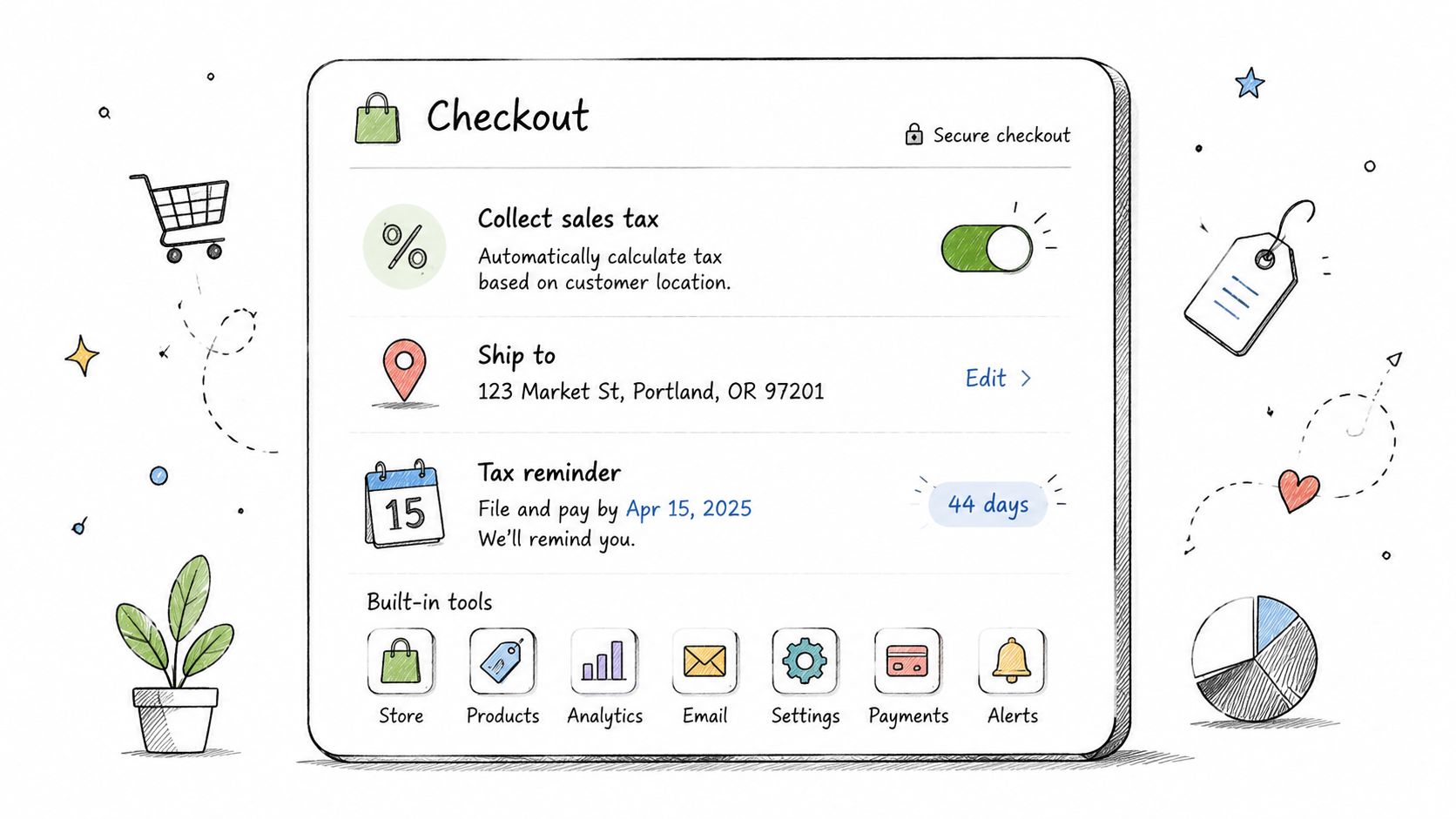
If you sell mostly through Shopify, the built-in tax tools are the simplest place to start. That's especially true for a solo seller, a side business, or a young brand still selling in a limited number of states. Native tools reduce the number of systems you have to connect and troubleshoot.
For many merchants, the core question isn't “Are Shopify's tax settings good?” It's “When do they stop being enough?”
Start here if your setup is still simple
Shopify's built-in tools work best when:
- You sell primarily through one storefront: Fewer channels means fewer reconciliation issues.
- Your product mix is straightforward: Physical goods are usually simpler than digital products or mixed offers.
- Your filing needs are still manageable: You may be able to work with exported reports and a manual process for a while.
This can be a smart first stage. Use the native calculator, export reports monthly, and confirm your bookkeeping reflects what checkout collected. If you're still building the rest of your store finance workflow, BookkeepDIY's e-commerce accounting resources for small sellers can help connect tax tracking back to the books.
The limit shows up when you expand. More states, more channels, more taxability exceptions, and more filing obligations usually push merchants toward dedicated sales tax compliance software. Built-in tax settings can calculate. They don't always solve the broader compliance workflow.
One overlooked issue is digital products and exemptions. A CPA.com discussion of post-Wayfair technology challenges notes that over 60% of niches now tax digital products differently than physical goods. That's exactly the kind of detail that can turn a simple Shopify setup into something more specialized.
6. QuickBooks Online Tax Module
QuickBooks Online's tax module makes sense when your biggest need is visibility inside your books. If you already live in QuickBooks, tracking sales tax there is convenient. Your invoices, revenue, and tax liability stay closer together, which helps at month-end.
For a service business with limited taxable sales, this can be enough. For a freelancer with a few taxable items and one filing jurisdiction, it may be the cleanest option.
Where QuickBooks works well
QuickBooks is best when bookkeeping is the center of the workflow.
- Local service businesses: If most sales are in one state and your tax treatment is stable.
- Freelancers with occasional taxable transactions: You can track liabilities without adding another app too soon.
- Organizations handling exempt sales manually: The records stay with the accounting file.
Its strength is familiarity. Owners and bookkeepers already know where to look. Reports are easier to tie back to the general ledger. That matters more than flashy automation when the main issue is bookkeeping discipline.
The weakness is scale. Once sales come from multiple platforms, taxability differs by state, or nexus monitoring becomes part of the job, QuickBooks starts feeling like a ledger with tax features, not a purpose-built compliance system.
If QuickBooks is your starting point, use it carefully. Set tax codes correctly, review product and service mappings, and compare tax reports against actual sales-channel activity each month. BookkeepDIY's accounting and bookkeeping software directory can also help if you're still sorting out how your accounting stack should fit together.
If your tax reports don't match your storefront or payment processor, trust the mismatch. Don't file until you know why it exists.
7. Wave Tax & Compliance Features
Wave appeals to the business owner who's trying to stay organized without adding another monthly subscription. For very small operations, that's a fair goal. If you're a freelancer, a side-hustle seller, or a bootstrapped service business with low complexity, Wave can handle basic tax tracking inside an accounting workflow.
This is not the tool I'd use for ambitious multi-state retail growth. It is a reasonable first stop for getting your records in order.
Good enough for early-stage simplicity
Wave works for businesses with a narrow compliance footprint.
- Solo operators: Especially those with one primary jurisdiction.
- Very small service businesses: If tax treatment is simple and invoicing is straightforward.
- Early-stage startups: When cash is tight and complexity is still low.
The practical upside is obvious. You get bookkeeping plus tax tracking in one place, and you can start building habits now instead of cleaning up a year of missing records later.
The risk is staying too long. If your sales channels multiply or you start approaching filing obligations in more places, Wave won't magically become a dedicated compliance platform. It's better viewed as a stepping stone than a long-term answer for complex sales tax.
A broader industry signal supports that idea. One analysis of adoption trends in sales tax compliance software says 97% of businesses either already use or are actively planning to implement automated sales tax compliance software by 2026. That doesn't mean every small business needs advanced software today. It does mean many businesses eventually outgrow manual or lightweight approaches.
8. Xero Tax Compliance & Integrations
A common small-business setup looks like this. You send invoices, track expenses, and maybe deal with a mix of taxable work, non-taxable work, and an occasional overseas client. In that situation, Xero usually works best as the accounting hub first, with tax handled through clean setup and, if needed later, outside integrations.
That makes it a practical fit for owners who are not trying to buy a full tax engine on day one.
Best for businesses that need accounting first and tax flexibility second
Xero tends to fit a few specific jobs well:
- Freelancers and consultants: You need reliable bookkeeping, invoicing, and clear tax coding more than advanced filing automation.
- Service businesses with mixed tax treatment: If some revenue is taxable and some is not, Xero helps keep the records straight.
- Businesses with VAT or GST exposure: Xero often feels more natural for companies that sell across regions and need accounting software built with more than one tax regime in mind.
- Growing firms that may add a dedicated tax app later: You can start with a simpler workflow, then connect more specialized compliance tools if your filing burden increases.
The trade-off is straightforward. Xero is strong at recording transactions correctly and keeping your books organized. Sales tax compliance is a different job. If you start selling into more states, need exemption certificate handling, or want automated return filing, you may reach the edge of what native features can do.
That distinction matters for non-accountants. If the job-to-be-done is "keep my books clean and apply the right tax code on invoices," Xero can be enough. If the job is "calculate tax across many jurisdictions and file accurately every month," you will likely need more than the built-in setup.
Xero's broader appeal also reflects its international accounting focus. As Xero explains in its tax documentation and regional tax guidance, the platform is designed to support tax rates, reporting, and filing workflows across different jurisdictions, which helps businesses that operate beyond a single simple U.S. sales tax pattern.
The main caution is timing. Xero is a good place to start if your compliance needs are still moderate. Once your nexus footprint, filing frequency, or channel mix gets more complicated, you should treat Xero as the recordkeeping layer and add purpose-built compliance support rather than trying to force the accounting system to do both jobs.
Top 8 Sales Tax Compliance Tools Comparison
| Tool | Core focus & key features ✨ | Ease & quality ★ | Pricing / value 💰 | Best for 👥 | Standout USP 🏆 |
|---|---|---|---|---|---|
| Avalara | ✨ Real-time rates (11k+ juris), automated filing, deep integrations | ★★★★, powerful, steeper learning curve | 💰 Paid (usage + subscription), higher for multistate sellers | 👥 Multistate e‑commerce, SaaS, marketplaces | 🏆 Market leader: jurisdiction depth & audit defense |
| TaxJar | ✨ One-click marketplace integrations, automated filings, accountant reports | ★★★★, very user-friendly | 💰 Freemium → Paid + filing fees; affordable for low volume | 👥 Small online sellers (Shopify, Etsy, Amazon) | 🏆 Marketplace-focused simplicity & tax-pro network |
| Vertex O Series | ✨ Enterprise tax engine, multi-country VAT/GST, custom rule engine | ★★★★★, extremely capable, complex setup | 💰 Paid (enterprise licensing), contact for quote | 👥 Mid-market & large enterprises, manufacturers, distributors | 🏆 Advanced determination & scalability for complex tax needs |
| Zoey | ✨ Ecommerce-first tax calc + return prep, intuitive dashboard | ★★★★, quick onboarding, seller-friendly | 💰 Paid (subscription, fixed options), transparent pricing | 👥 Mid-size Shopify/WooCommerce stores, DTC brands | 🏆 Balanced automation + affordable, seller-first UX |
| Shopify Tax Settings & Built-in Tax Tools | ✨ Native checkout tax calc, basic reporting, app marketplace integrations | ★★★, easiest if on Shopify | 💰 Freemium, included with Shopify; third-party apps extra | 👥 Solo Shopify sellers, single-state merchants | 🏆 Zero-additional-cost convenience inside Shopify |
| QuickBooks Online Tax Module | ✨ Integrated tax tracking tied to invoicing & accounting | ★★★★, cohesive for QBO users | 💰 Included with QuickBooks subscription | 👥 Freelancers & small businesses using QuickBooks | 🏆 Unified bookkeeping + tax visibility in one platform |
| Wave Tax & Compliance Features | ✨ Free tax rate config, liability reports, CSV exports | ★★★, simple, basic functionality | 💰 Free (with optional paid add-ons) | 👥 Solo freelancers, bootstrapped startups | 🏆 No-cost entry point for basic tax tracking |
| Xero Tax Compliance & Integrations | ✨ Native tax codes, VAT/GST support, integrates with Avalara/TaxJar | ★★★★, intuitive, scalable globally | 💰 Paid subscription; third-party integrations may cost extra | 👥 International freelancers & growing SMBs | 🏆 Global tax support + flexible integrations |
From Choice to Compliance: Your Implementation Plan
Choosing sales tax compliance software is only the first decision. The bigger win comes from setting it up correctly the first time. Most problems I see aren't caused by the tool itself. They come from incomplete channel connections, bad product mappings, missing nexus settings, or nobody checking whether the first return matches the sales records.
Start with your primary sales channel. If most revenue comes through Shopify, connect that first. If invoices originate in QuickBooks or Xero, begin there. Don't connect five systems at once and hope the software sorts out duplicates and taxability conflicts on its own. A clean first connection tells you how the tool thinks.
Then configure nexus carefully. Don't guess. Use the states where you already have obligations and confirm registration status before turning on collection. If your business sells digital products, SaaS, or mixed taxable and non-taxable services, pay extra attention here because those categories often break simple setups.
Run test transactions before you rely on live output. Check destination addresses, taxable categories, exempt customers, and refunds. If the tax on a test order surprises you, stop and investigate now. It's much easier to fix settings before a quarter closes than after notices arrive.
Your monthly workflow should stay simple:
- Review channel syncs: Make sure all major sales sources are feeding the software.
- Compare tax collected to the books: Your accounting system and tax tool should tell a consistent story.
- Check new-state activity: Growth creates obligations, often without immediate notice.
- Save filing confirmations: Audit-ready records matter even for small businesses.
Tool choice should follow the job you need done. A freelancer often needs tracking and clean reports. An e-commerce store needs checkout accuracy and filing support. A SaaS or digital product business usually needs stronger classification logic and exemption handling. Don't buy for the business you might be in five years if your current setup is still simple. But don't stay on a lightweight system once your compliance risk has clearly outgrown it.
If you're still comparing options, BookkeepDIY can help narrow the field. It's a directory and learning resource built for small businesses, freelancers, and finance generalists who need plain-language guidance on bookkeeping and accounting tools. That's useful when you know you need help with sales tax, but you're still figuring out how that decision fits your full finance stack.
If you want a simpler way to compare bookkeeping, accounting, and tax tools without wading through vendor jargon, explore BookkeepDIY. It's built for freelancers and small business owners who need practical, plain-English guidance before they commit to software.



