

You've just landed your first steady client, the invoices are rolling in, and then the tax question hits. The spreadsheet on your laptop has receipts, bank transfers, platform fees, and a few messy notes in the corner, and suddenly you're wondering whether you need a bookkeeper, an accountant, or just a better system before the month gets away from you.
That confusion is normal, because bookkeeping and accounting sit on top of each other. Bookkeeping records what happened, while accounting explains what it means, and the two only work well when the underlying records are complete and accurate. A simple way to start is to think of bookkeeping as the transaction layer of business finance, the place where sales, purchases, receipts, and payments get captured as they happen, and accounting as the layer that turns those records into statements, tax filings, and decisions. The historical split goes back to double-entry bookkeeping, the system tied to Luca Pacioli's 1494 Summa de Arithmetica, which helped organize commercial recordkeeping into something modern accounting could build on. If you want a plain-language glossary alongside this article, the internal breakdown at BookkeepDIY's double-entry bookkeeping dictionary entry can help.
Why Freelancers Confuse the Two in the First Place
A solo designer sends out her first quarterly tax payment notice, opens her files, and sees two piles of work. One pile is everything she's received and paid, the other is the question of what those numbers mean for profit, taxes, and next quarter's planning. That's where the confusion starts, because both jobs touch the same money, but they answer different questions.
The easiest way to separate them is to notice the starting point. Bookkeeping begins with the event itself, a client payment lands, a contractor bill gets paid, a refund goes out, and each one needs to be logged cleanly. Accounting begins after those records exist, then uses them to see whether the business is profitable, what assets and liabilities exist, and whether the owner is ready for tax reporting or planning. The bookkeeping layer feeds the accounting layer, it doesn't replace it.
Practical rule: if the task is about capturing, sorting, and protecting transaction data, it belongs closer to bookkeeping. If the task is about interpreting that data, it belongs closer to accounting.
Freelancers also get tripped up because software has blurred the old classroom version of the split. A lot of people still think bookkeeping means manual data entry and accounting means a big year-end cleanup, but real workflows are less neat than that. The rest of this guide keeps the language simple and sticks to the decision most owners face, which is whether a task can be automated, should be handed off, or needs a professional review.
How Bookkeeping and Accounting Actually Work Together
Think of bookkeeping as the daily notebook and accounting as the monthly review meeting. In the notebook, every sale, refund, bill, and payment gets written down in order. In the review meeting, those notes are grouped, checked, and turned into a picture of how the business is doing.
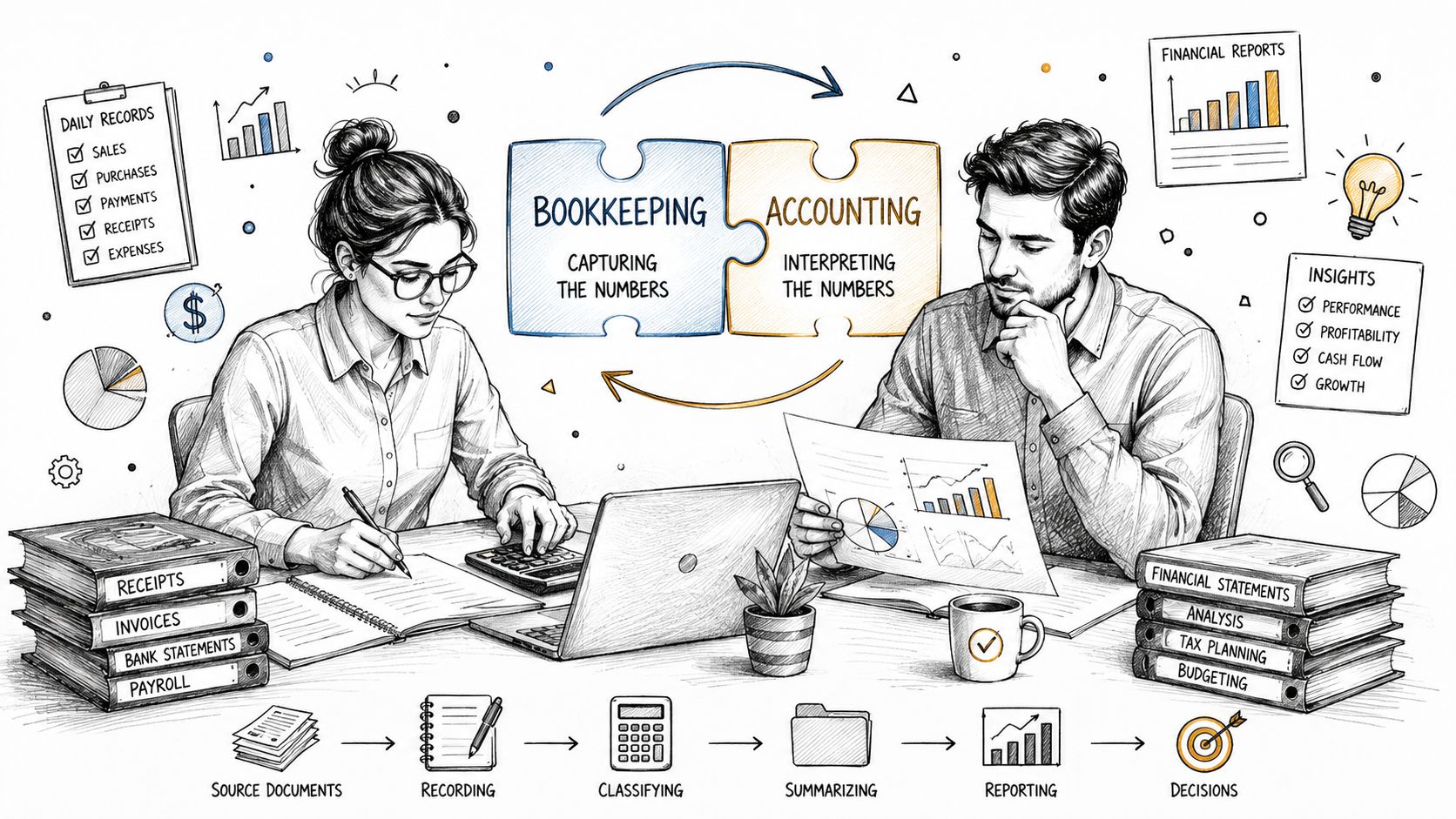
The path from transaction to statement
The flow usually starts with capturing transactions. A payment from a client, a software subscription, a reimbursable expense, or a vendor invoice gets entered into journals or a ledger, often on a daily or near-real-time basis. From there, the records can be checked against bank activity and organized into accounts that make sense to the business owner and the accountant.
After that comes the interpretive layer. Accounting takes the cleaned-up records and turns them into financial statements, tax-ready summaries, and decision support. That's why the quality of accounting depends on the quality of bookkeeping. If the source records are incomplete or misclassified, the report may look polished but still point in the wrong direction.
The historical reason this split matters goes back to Luca Pacioli's 1494 codification of double-entry bookkeeping in Summa de Arithmetica, which gave businesses a structured way to keep commercial records. Later accounting standards expanded that recording discipline into analysis, compliance, and reporting. The old system of keeping books is still the base, even when software does a lot of the work.
A clean report can still sit on messy records. The close looks finished only when the source transactions are accurate.
For a freelancer, the useful mental model is simple. Bookkeeping keeps the money trail intact. Accounting uses that trail to answer the questions that matter at tax time, at budgeting time, and when you're deciding whether the business can afford to grow.
Side-by-Side Responsibilities, Deliverables, and Timing
The fastest way to see the difference is to compare the outputs. Bookkeeping is about records, accounting is about meaning, and the timing of each job reflects that split. Bookkeeping happens continuously, often daily or near-real-time, because transactions keep arriving. Accounting happens in chunks, usually monthly, quarterly, or at year-end, because those records need to be grouped before they can be analyzed.
| Dimension | Bookkeeping | Accounting |
|---|---|---|
| Main focus | Recording and classifying transactions | Interpreting records and making them useful |
| Core outputs | Journals, ledgers, reconciliations, close data | Income statements, balance sheets, cash flow statements, tax filings, advisory reports |
| Timing | Continuous, often daily | Periodic, often monthly, quarterly, or annually |
| Primary goal | Record integrity | Interpretation and compliance |
| Main question answered | What happened? | What does it mean? |
What each side is responsible for
A bookkeeper's job is to keep the transaction trail clean. That means logging sales and expenses, keeping categories consistent, reconciling accounts, and making sure the monthly close starts from solid data. A good bookkeeper protects the structure of the records so the numbers can be trusted later.
An accountant works one level above that. The accountant turns the records into financial statements, looks for patterns, checks whether the records fit reporting rules, and helps the owner understand the business picture. That can include tax preparation, compliance review, and strategic guidance, but the common thread is interpretation rather than entry.
The division also shows up in how errors are handled. A bookkeeping issue usually means a transaction is missing, duplicated, or placed in the wrong category. An accounting issue usually means the records need to be assembled, adjusted, or explained in a broader business context. The cleaner the bookkeeping, the faster the accounting close tends to go.
Useful shortcut: bookkeeping protects the evidence, accounting reads the evidence.
Where the Line Blurs in Real Small Businesses
The textbook split sounds neat until you look at how small teams run finance. In practice, bookkeeping software often does work that older definitions would have reserved for accountants, including bank reconciliation, trial balances, and even the generation of core statements. That's why the real-world boundary is fuzzier than the classroom version suggests.
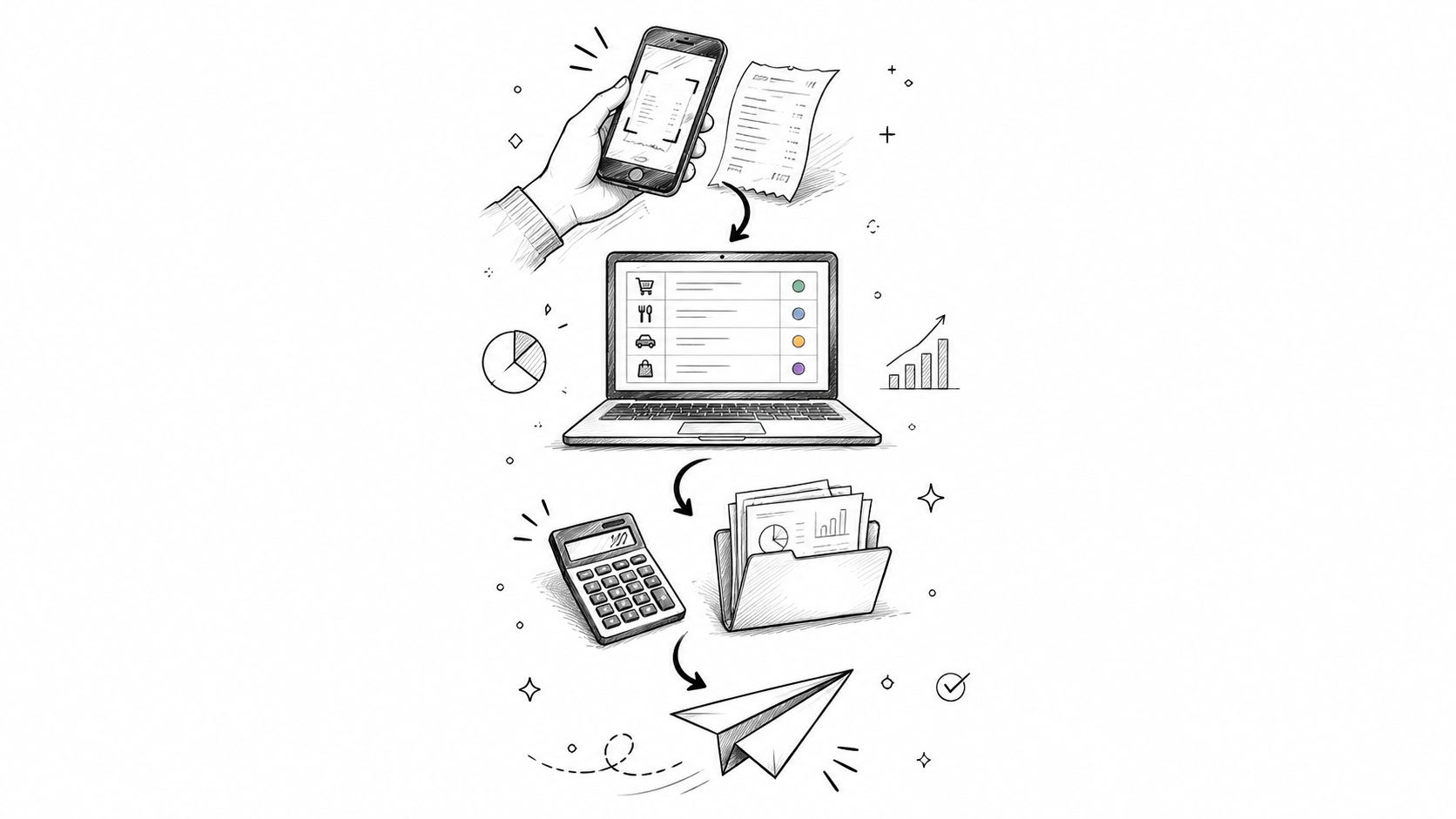
A three-person agency example
Take a small agency with two founders and one contractor. Receipts come in by email, client payments hit the bank, and monthly subscriptions go through a card. The owner uses cloud software to import the feed, match transactions, and assign categories, then checks the exceptions by hand.
On paper, some of that sounds like bookkeeping and some sounds like accounting. In practice, the software is already doing part of the old bookkeeping role, and the owner is doing a little bit of review that used to sit closer to accounting. The question isn't just “what is this task called,” it's “who owns it, and what happens if it goes wrong?”
That risk lens matters more than the label. A mistaken receipt category can create a cleanup task, but a missed liability or a badly assembled statement can distort decisions and tax prep. If a task affects compliance, cash planning, or the close, it needs more oversight than a task that keeps the files tidy.
The boundary also shifts because modern software can now handle more of the middle layer than older workflows ever could. That makes definitions less important than workflow design. Owners don't need a philosophy lecture, they need a map of which steps are safe to automate, which should be reviewed, and which should stay with a human who understands the numbers.
A Sample Monthly Workflow From Receipt to Tax Filing
A clean monthly workflow starts the same way every time, with the receipts and invoices that arrive during the month. The owner or team member captures them as they come in, then the bookkeeping side sorts transactions into the right buckets so the records stay current instead of piling up at the end.

The monthly sequence
- Capture source documents. The owner saves receipts, invoices, and payout records as soon as they appear.
- Categorize transactions. The bookkeeping system or the person maintaining the books assigns each item to the right account.
- Reconcile bank activity. The bank feed is matched against the records so missing or duplicate items show up early.
- Close the books. Any obvious gaps, odd transactions, or uncategorized entries get cleaned up before the month is treated as finished.
- Hand off for review. An accountant can review the close, check for reporting issues, and decide whether adjustments are needed.
- Generate statements. The records are turned into reports that show performance and financial position.
- Prepare for tax obligations. The records feed the tax process, which is where accuracy matters most for compliance.
The logic behind the sequence is simple. The farther a task moves from raw receipt to filed return, the more judgment it needs. The earlier steps are mostly about capture and organization, while the later steps are about interpretation, compliance, and making sure the numbers tell the truth.
For a freelancer, that means you don't have to treat every finance task as an all-or-nothing professional service. Some parts can be handled in software, some can be kept in your own weekly routine, and some are worth paying a professional to review. If you want a separate plain-language reminder about tax readiness, the internal guide at BookkeepDIY's tax compliance resource fits naturally with this workflow.
How Automation and AI Are Reshaping the Split
A freelancer can finish a week of client work, open the books on Friday night, and still feel like the numbers are speaking a different language. Automation has started to reduce that gap. Software can now record, categorize, reconcile, and draft core statements, so bookkeeping is no longer just manual data entry. The routine work still exists, but more of it happens with software support instead of a person typing every line by hand.

What software can handle, and what it still can't
Software works best when the task follows a repeatable pattern. Recurring subscriptions, matching bank deposits, sorting card purchases, and assembling draft reports all fit that pattern because the rules stay fairly stable. That is why a large share of day-to-day bookkeeping can now be reduced without making the records less useful.
Human judgment still matters when a transaction is unusual, the category is unclear, or a mistake would affect taxes or reporting. A mixed personal and business expense, a one-time asset purchase, or an entry that changes tax treatment needs someone who can read the context, not only match fields on a screen. The same is true when the numbers look technically correct but do not fit the business story.
Accounting keeps its role even as software improves. Tax planning, review, compliance oversight, and advisory work still depend on interpretation, and interpretation depends on experience. Automation compresses the clerical side, but it does not remove the need for judgment.
Best use of automation: let software clear the repetitive tasks so a human can spend time on exceptions, review, and decision support.
Tools like Vic AI are already handling parts of this workflow for small teams. For a freelancer or small firm, the practical move is to redirect time rather than save it. If software takes over routine categorization and reconciliation, use the freed-up hours to review cash flow, clean up open questions, or get a quarterly check-in from someone who understands tax and reporting. That is where the split still matters, because the work that remains after automation is the work most likely to affect decisions.
Hiring, Outsourcing, or Going Software-First
The right setup depends on where your risk sits, not on a neat job title. A freelancer with a simple, mostly digital business can often run software-first and bring in an accountant periodically. A growing service business may need a hybrid model, where a bookkeeper handles the records and an accountant handles the review. A more complex operation may need full outsourced support across both layers.
A simple way to choose
- Software-first works best when your transactions are straightforward, your expenses are easy to categorize, and you're comfortable doing a basic weekly review yourself.
- Hybrid support fits best when you're getting enough activity that cleanup is becoming a burden, but you still want control over day-to-day visibility.
- Full-service outsourcing fits best when mistakes would be expensive, your workflow has many moving parts, or you'd rather spend your time on sales and delivery than on finance tasks.
Pricing labels also matter when you're comparing tools, because many finance products are offered as paid, free trial, or freemium options. Those labels don't tell you whether the workflow fits, but they do tell you how much friction you'll face before you can test the system. A free trial can help you evaluate the month-end process, while a freemium plan may be enough for very light activity if you're still learning the basics.
The simplest decision test is this. Identify the single highest-risk task in your current workflow, then choose the model that owns that task well. If the risk is clean recordkeeping, choose better software. If the risk is review and compliance, bring in a person who can handle that layer with confidence.
Your Take-Home Checklist and Quick FAQ
Use this checklist when you're deciding where bookkeeping ends and accounting begins in your business.
- Capture first, interpret second. If the task is about recording transactions, it's bookkeeping work.
- Look at the timing. Daily or continuous tasks lean toward bookkeeping, while periodic review leans toward accounting.
- Check the output. Ledgers and reconciliations are bookkeeping deliverables, while statements and tax prep belong on the accounting side.
- Measure the risk. The higher the compliance or decision impact, the more likely you need human review.
- Let software handle repetition. Repeated, rule-based tasks are the easiest to automate.
- Keep a human on the exceptions. Unusual entries, unclear categories, and tax-sensitive items still deserve judgment.
Do I need both a bookkeeper and an accountant?
Not always. If your business is simple, software plus periodic accounting review may be enough. If your records are getting messy or your tax and reporting needs are growing, both roles can add value.
How often should I reconcile?
Often enough that mistakes don't pile up. For many small businesses, that means keeping the records current during the month instead of waiting until the end.
When should I stop doing it all myself?
When cleanup takes longer than the work itself, or when you start worrying that a small mistake could affect tax filing or financial decisions.
Do AI tools make either role obsolete?
No. They reduce repetitive work and speed up review, but they don't replace judgment, compliance oversight, or business interpretation.
BookkeepDIY helps freelancers and small business owners make sense of the bookkeeping and accounting split without drowning in jargon. If you want a clearer way to compare tools, learn the terms, and decide what to automate or hand off, visit BookkeepDIY and use it as your guide while you build a finance workflow that fits your business.



